
Description
Elevate Your Divi Experience with Squad Modules Lite
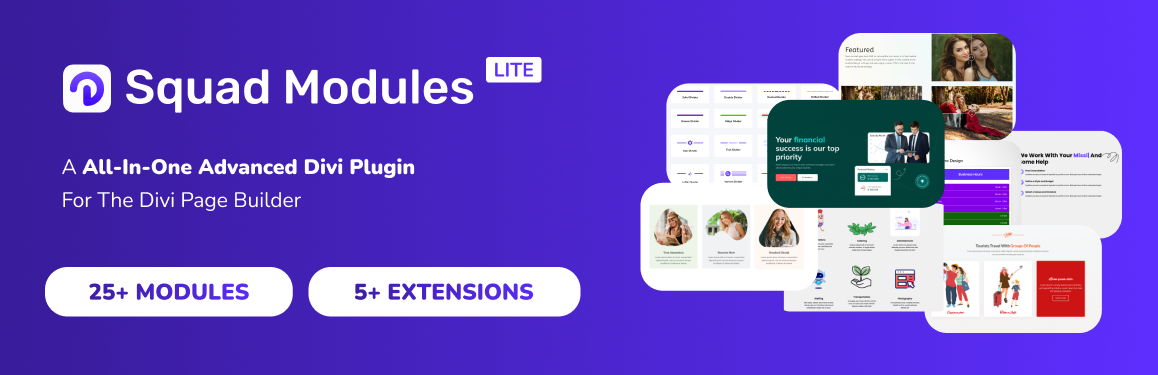
Squad Modules Lite is the ultimate free Divi modules and extensions plugin that takes your Divi page building experience to new heights. Designed specifically for the Divi theme and Divi page builder, it introduces a powerful suite of over 25 free Divi modules and 5 free Divi extensions, empowering you to create visually stunning, highly functional websites with ease.
Now with full Divi 5 support: every Squad module runs as a native module in the new Divi 5 Visual Builder (Block API), while continuing to work in the classic Divi 4 builder — so your existing layouts keep working and new ones get the speed of Divi 5.
Key Features:
- Native Divi 5 & Divi 4 Support: Every module is a first-class citizen in the new Divi 5 Visual Builder and the classic Divi 4 builder — no separate plugin, no migration headaches.
- 25+ Free Divi Modules: A diverse collection of free modules for layouts, content, interactive elements, dynamic content, engagement, social proof, and form styling.
- 5 Free Divi Extensions: Copy posts/pages, Divi Library shortcodes, custom font upload, JSON import/export, and SVG upload.
- Lightweight and High-Performance: Meticulously crafted for lightning-fast loading and a seamless Divi editing experience.
- Complete Customization: Extensive design controls on every module, neatly organized into named groups in the Visual Builder.
- Granular Control: Enable or disable individual modules from the dashboard to keep your site lean.
- Regular Updates: Frequent updates with new modules, features, fixes, and performance improvements.
Included Divi Modules:
Layout & Content Divi Modules:
- Divi Advanced Divider Module: Craft visually appealing dividers with various styles, shapes, and customization options.
- Divi Post Grid Module (Custom Fields, ACF supported): Showcase your blog posts in a stylish and organized grid layout.
- Divi Drop Cap Text Module: Add emphasis and style to your text content with beautiful drop caps.
- (…and more)
Interactive & Dynamic Divi Modules:
- Divi Post Carousel Module: Showcase your posts in a touch-friendly carousel with responsive slides-per-view, autoplay, loop, navigation arrows, pagination dots, and slide/fade/coverflow effects.
- Divi Before After Image Slider Module: Engage visitors with interactive image comparisons, showcasing transformations or product variations.
- Divi Flip Box Module: Create captivating elements that reveal additional information or a different design on hover.
- Divi Lottie Animation Module: Effortlessly integrate eye-catching animations to enhance your website’s visual appeal and user experience.
- (…and more)
Engagement & Social Proof Divi Modules:
- Divi Star Rating Module: Add stylish star rating functionality to your content, allowing visitors to provide feedback and ratings.
- Divi Post Reading Time Module: Inform readers of the estimated reading time for your blog posts, helping them plan their time effectively.
- (…and more)
Form Styler Divi Modules (Divi 5 & Divi 4):
- Divi Form Styler: Contact Form 7 Module: Effortlessly customize the design of Contact Form 7 forms with color, font, spacing, and CSS options.
- Divi Form Styler: WP Forms Module: Effortlessly customize the design of WP Forms with color, font, spacing, and CSS options.
- Divi Form Styler: Gravity Forms Module: Effortlessly customize the design of Gravity Forms with color, font, spacing, and CSS options.
- Divi Form Styler: Ninja Forms Module: Effortlessly customize the design of Ninja Forms with color, font, spacing, and CSS options.
- Divi Form Styler: Fluent Forms, Forminator, Formidable Forms, MetForm, and SureForms: Style every popular form plugin with the same powerful, native design controls.
- (…and more)
Powerful Free Divi Extensions:
- Copy Post or Page (Multisite Supported): Easily duplicate your posts and pages with a single click, even on multisite installations.
- Divi Library Shortcode: Insert Divi Library layouts anywhere using a shortcode, streamlining your workflow.
- Font Upload: Upload custom fonts to your website for a unique and consistent visual identity.
- JSON Upload: Import and export Divi layouts, settings, and data using JSON files for easy backups and migrations.
- SVG Upload: Upload custom SVG graphics to your website, ensuring high-quality, scalable visuals across all devices.
Upgrade to Squad Modules Pro for Divi
Unlock the full potential of Divi with Squad Modules Pro, featuring over 30 advanced Divi modules and extensions. Effortlessly drag-and-drop pre-built modules, fine-tune every aspect with unmatched customization, and enjoy lightning-fast performance.
Additional Resources:
About the Developers
Squad Modules Lite is developed by the Divi Squad and The WP Squad Team, a dedicated WordPress product company committed to providing you with the tools you need to build incredible websites with the Divi theme and Divi page builder.
Show Your Support!
If Squad Modules Lite has helped you streamline your Divi workflow and enhance your website design, please consider leaving a 5-star rating: Rate Squad Modules Lite
Your positive reviews and feedback help us continue improving our products and delivering exceptional Divi modules and Divi extensions to the Divi community.
Join the Divi Revolution
Whether you’re a seasoned Divi user or just getting started, Squad Modules Lite is the perfect companion to unlock new possibilities and take your Divi website design to new heights. With a diverse range of free Divi modules and extensions, you’ll have everything you need to create visually stunning and highly functional websites that captivate your audience.
Don’t settle for limitations – embrace the power of Squad Modules Lite and unleash your creativity with the world’s most popular WordPress theme and page builder, Divi. Download Squad Modules Lite today and experience the future of Divi website design!
Captures d’écran
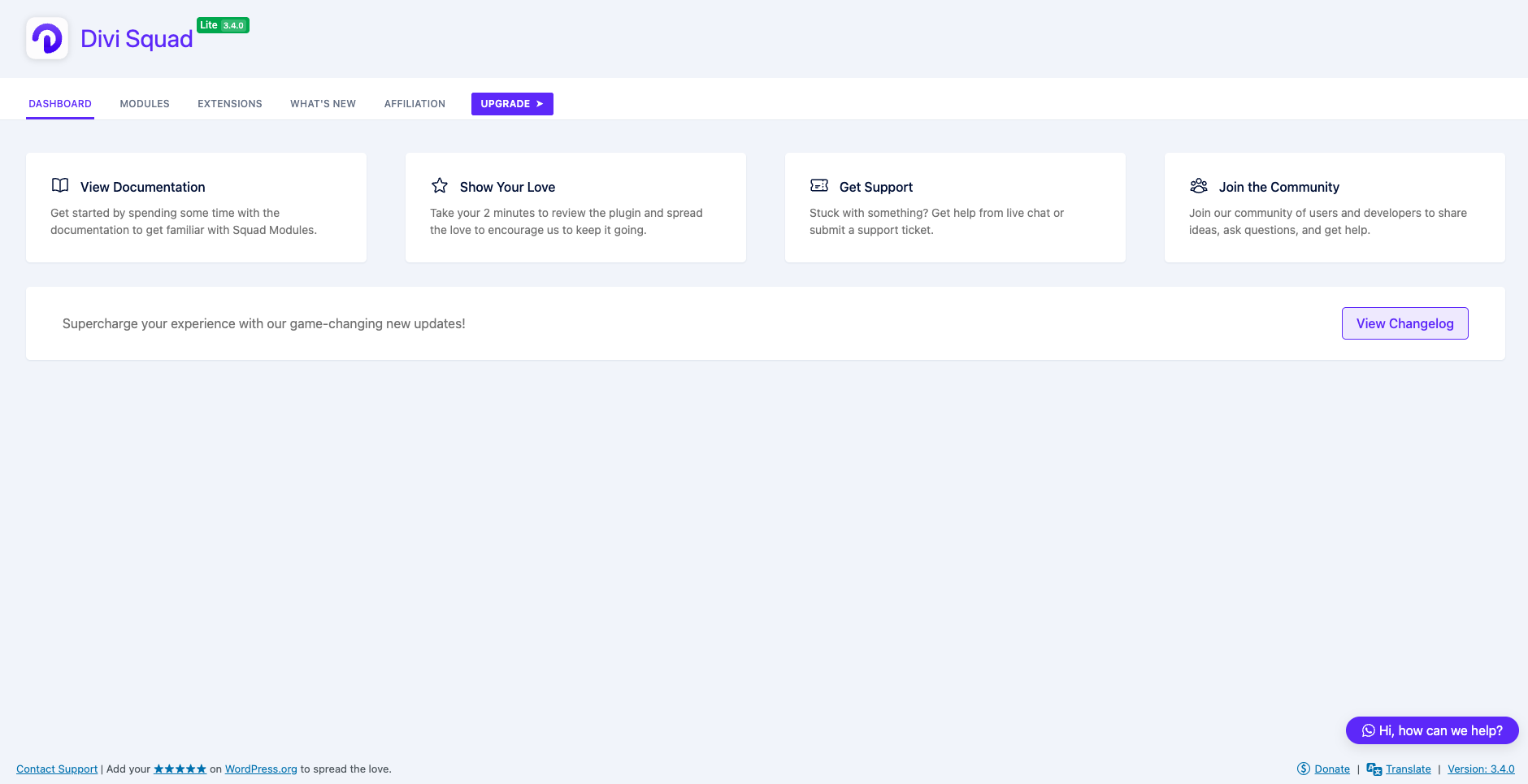
Main Dashboard – The Squad Modules Lite dashboard for convenient module management and settings. 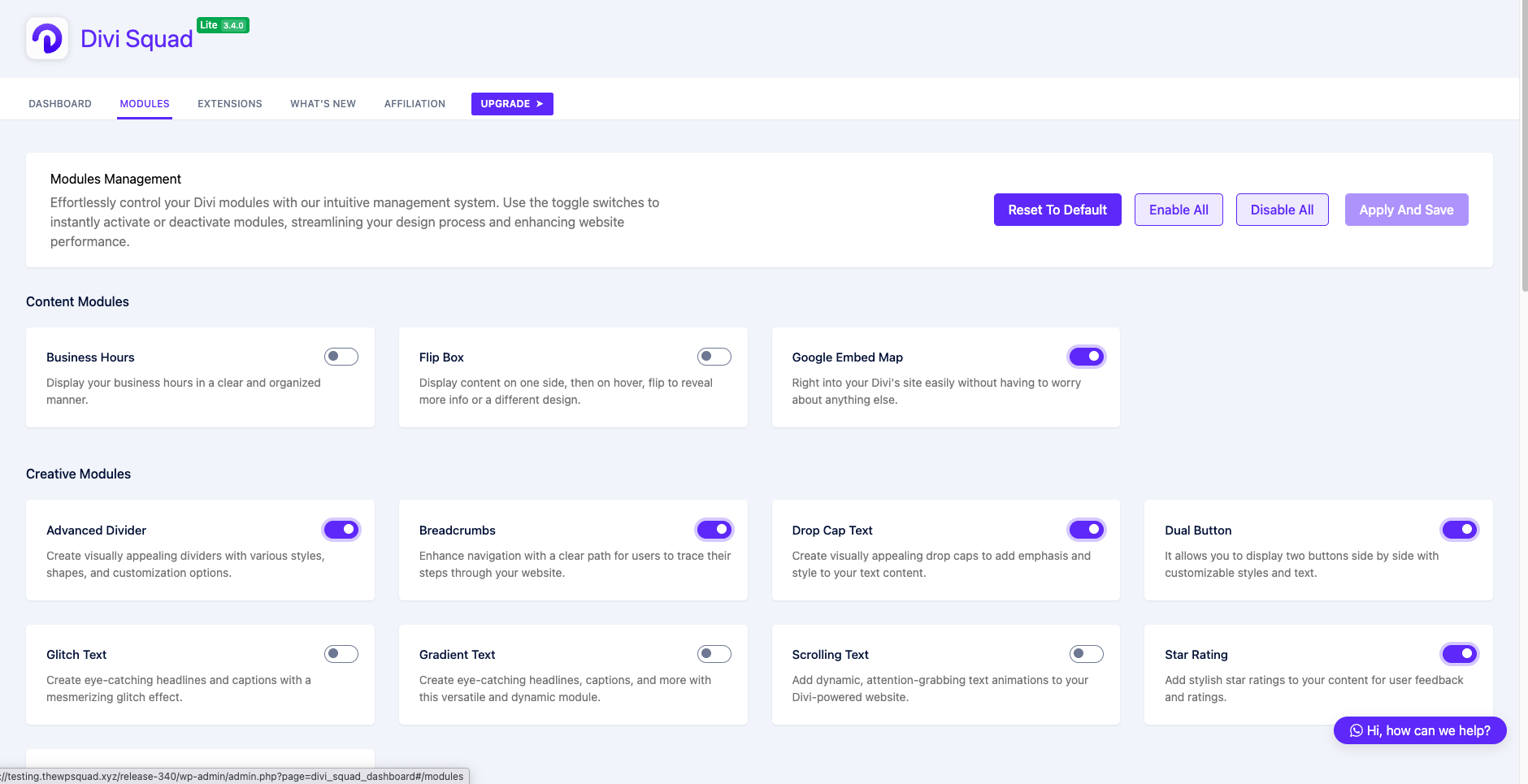
Module Dashboard – This is the dashboard where you can manage and configure Squad Modules Lite modules. You can see a list of all the modules that you have installed, and you can customize their settings. You can also create custom modules from here. 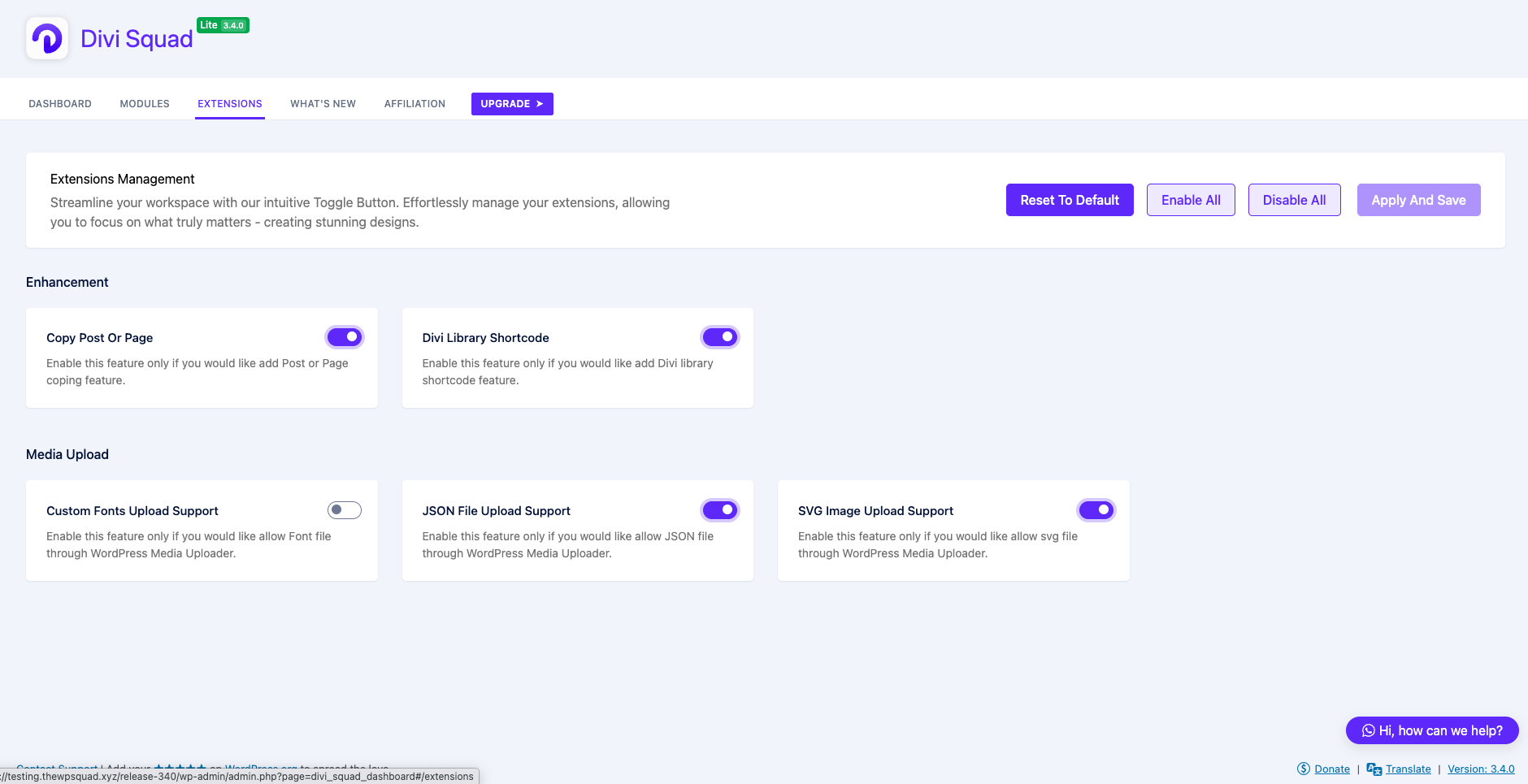
Extensions Dashboard – This is the dashboard where you can manage and configure Squad Modules Lite extensions. You can see a list of all the extensions that you have activated, and you can customize their settings. 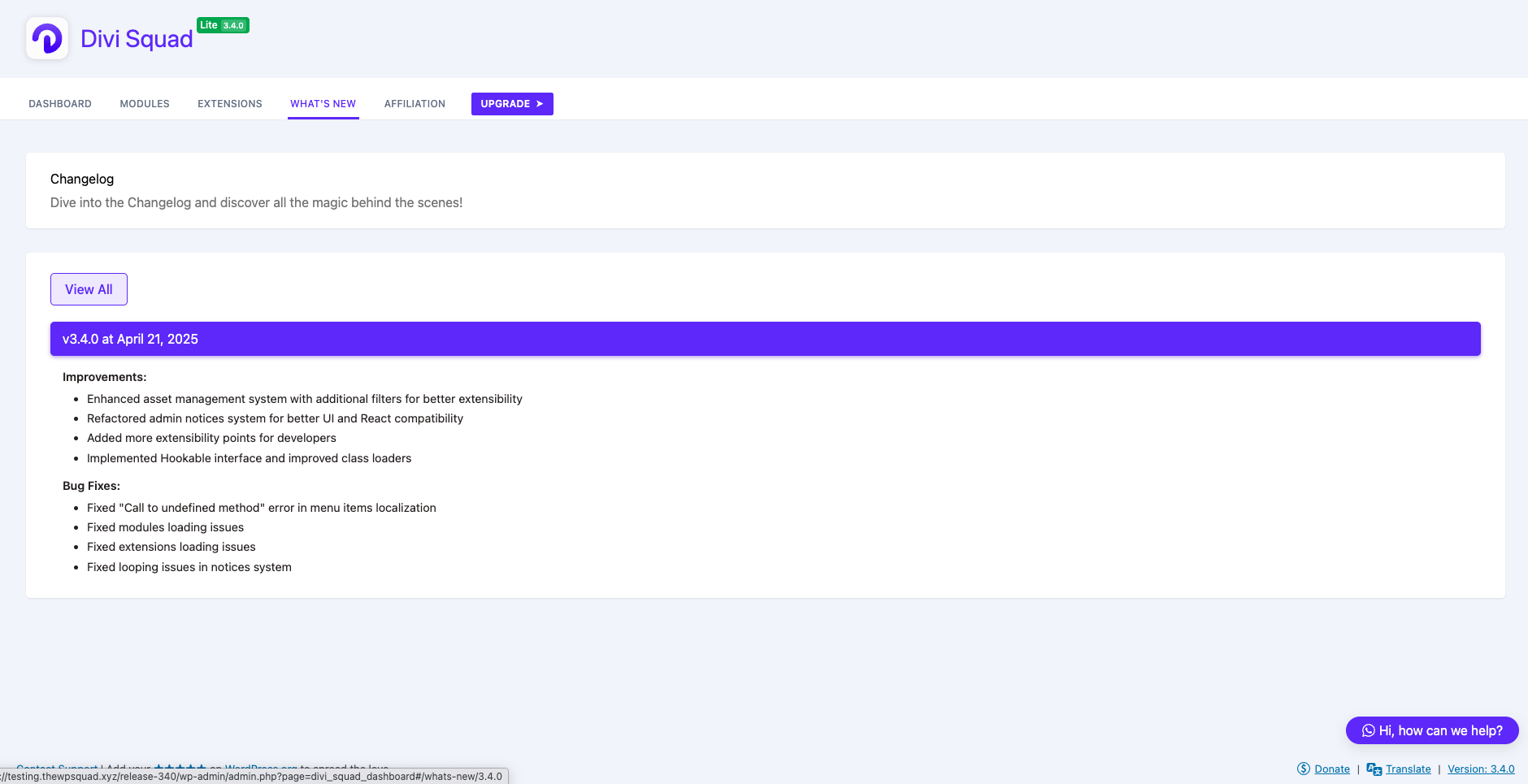
What’s New Page – This is the Page where you can see all the latest updates of Squad Modules Lite. 
Module Selection in the Divi Builder – This is the folder where all the modules are stored. You can easily add a new module by dragging and dropping it into the Divi Builder. 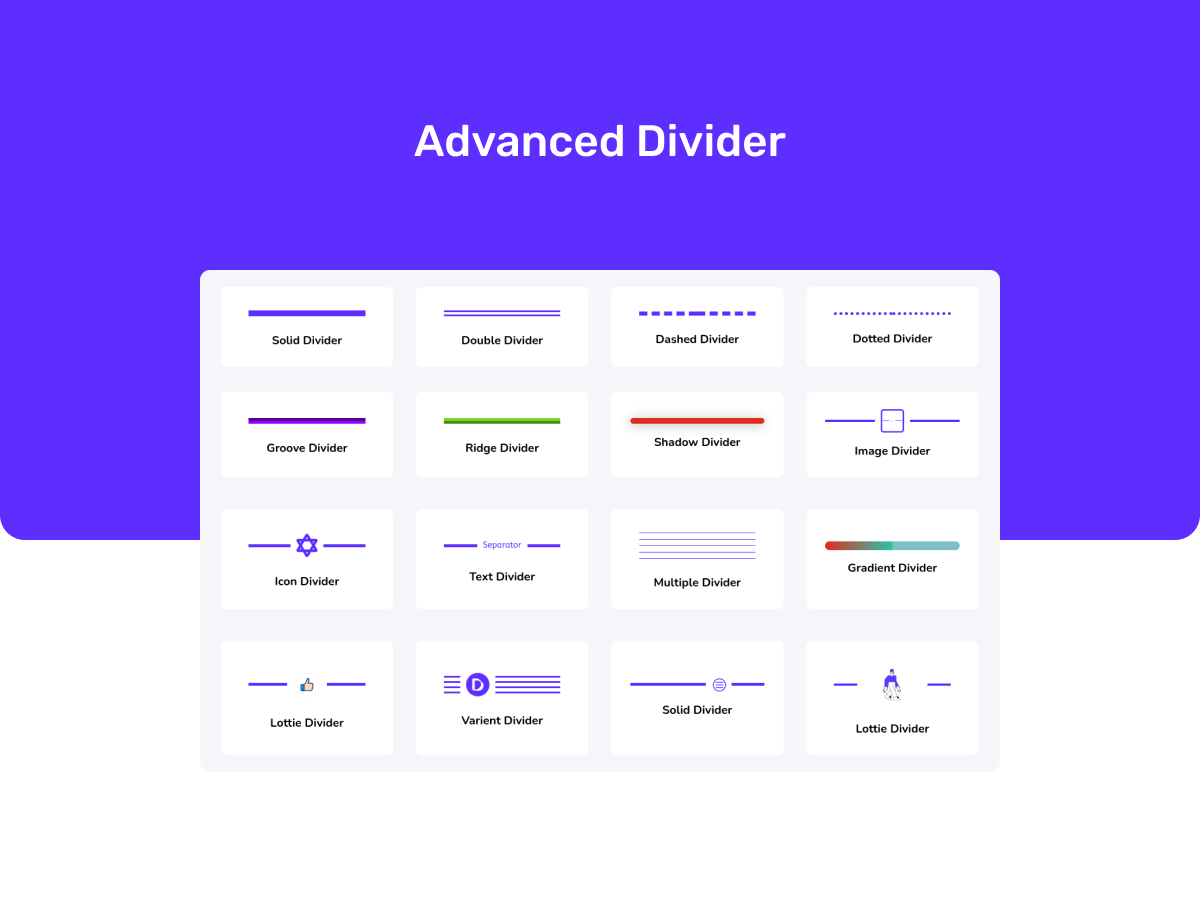
Advanced Divider Module – This is a module that allows you to create visually appealing dividers with various styles, shapes, and customization options. 
Before After Image Slider Module – This is a module that allows you to create interactive image comparisons using the Before After Image Slider module. 
Business Hours Module – This is a module that allows you to display your business hours in a clear and organized manner. 
Dual Button Module – This is a module that allows you to encourage user interaction and call-to-action with the Dual Button module. Display two distinct buttons side by side, each with its own customizable text, link, and design options. 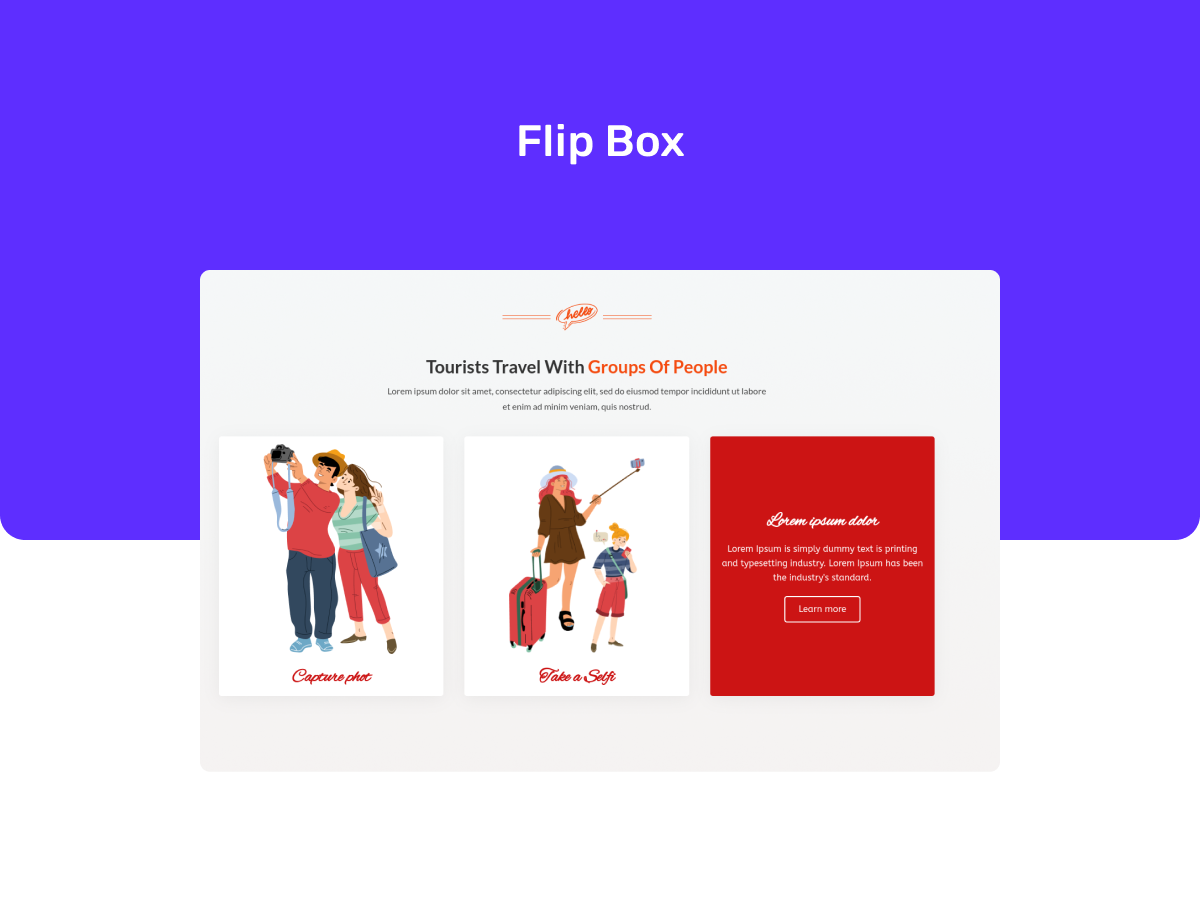
Flip Box Module – This is a module that allows you to add a touch of interactivity and visual interest to your website with the Flip Box module. Showcase content on one side of the box, and when hovered or clicked, the box flips to reveal additional information or a different design. 
Image Mask Module – This is a module that allows you to transform your images into captivating focal points with the Image Mask module. Apply stunning masks to your images, adding creativity and visual appeal to your website. 
Lottie Module – This is a module that allows you to bring your website to life with captivating Lottie animations. The Lottie Animation module allows you to easily integrate animated elements into your web pages, making your website more engaging and dynamic. 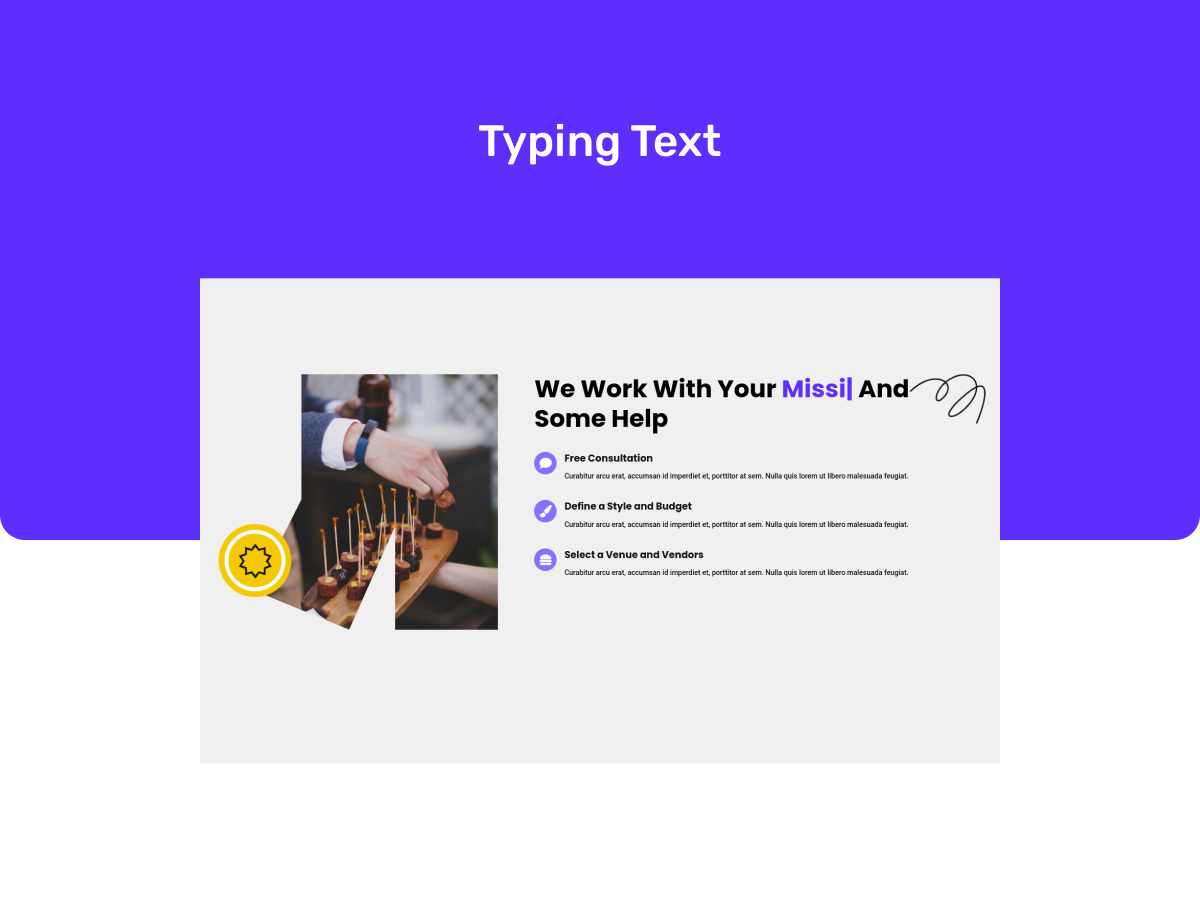
Typing Text Module – This is a module that allows you to create eye-catching animated text that simulates a typing effect with the Typing Text module. Grab your visitors’ attention and deliver your message in a unique and engaging way.
Installation
Installing Squad Modules Lite
Before diving into the exciting world of Squad Modules Lite, let’s ensure your website meets the minimum requirements for a smooth installation:
- WordPress: Version 5.0 or greater
- PHP: Version 7.0 or greater
- MySQL: Version 5.0 or greater
- Divi Theme, Extra Theme, or Divi Builder Plugin: Version 4.13 or greater — including Divi 5 with the new Visual Builder
For the best experience, we highly recommend your hosting provider supports PHP version 7.4 or greater, MySQL version 5.6 or greater, and a WordPress memory limit of 64MB or higher (ideally 128MB or more). This will ensure your website runs Squad Modules Lite at peak efficiency.
Now that you’ve checked the compatibility boxes, let’s get started with the installation! We offer two methods:
Recommended Method: WordPress Plugin Dashboard
- Navigate to your WordPress admin dashboard.
- Click on the « Plugins » section and then « Add New ».
- In the search field, type « Squad Modules Lite ».
- Locate the plugin in the search results and click « Install Now ».
- Once the installation is complete, click « Activate » to turn on Squad Modules Lite.
Congratulations! You’ve successfully installed Squad Modules Lite. Now you can explore the extensive collection of modules within the Divi Builder and start crafting stunning and functional Divi websites.
Manual Installation (Alternative Method)
- Visit the WordPress Plugin Directory: WordPress Plugin Directory: https://wordpress.org/plugins/
- Search for « Squad Modules Lite ».
- Click the « Download » button on the plugin page.
- Head back to your WordPress admin dashboard.
- Navigate to « Plugins » and click on « Add New ».
- Click on « Upload Plugin » and choose the downloaded Squad Modules Lite ZIP file.
- Click « Install Now » and then « Activate » once the installation is complete.
You’re now ready to leverage the power of Squad Modules Lite within your Divi Builder!
Need further assistance? The WordPress codex offers a comprehensive guide on manual plugin installation: WordPress Plugin Installation: https://wordpress.org/support/article/managing-plugins/#manual-plugin-installation
We hope this installation guide empowers you to effortlessly integrate Squad Modules Lite into your Divi workflow. Get ready to unlock a world of design possibilities and build remarkable websites!
FAQ
-
Is Squad Modules Lite free?
-
Absolutely! Squad Modules Lite is a free plugin that provides you with a valuable collection of modules to enhance your Divi website building experience. While Lite offers a solid foundation, you can upgrade to Squad Modules Pro for even more advanced features and functionality.
-
Does Squad Modules Lite work with the latest Divi version?
-
Yes, Squad Modules Lite is rigorously tested and updated to ensure seamless compatibility with the most recent versions of the Divi theme and Divi Builder. You can always be confident that your modules will work flawlessly with your Divi setup.
-
Does it support Divi 5 and the new Visual Builder?
-
Yes. As of version 4.0.0, every Squad module runs as a native module in the Divi 5 Visual Builder (built on Divi’s Block API), with the same design controls and frontend output. The classic Divi 4 builder is still fully supported, so pages built in either version keep working — there is nothing to migrate.
-
Can I customize the Squad Modules Lite modules to match my website’s design?
-
Of course! Squad Modules Lite empowers you with extensive customization options. You can tailor colors, fonts, spacing, and more to achieve a design that perfectly complements your website’s unique aesthetic.
-
What are the system requirements for using Squad Modules Lite?
-
To run Squad Modules Lite smoothly, you’ll need WordPress version 5.0.0 or higher, Divi version 4.10 or higher, and PHP version 5.6 or higher on your website.
-
Will updating Squad Modules Lite break my website?
-
Squad Modules Lite updates are designed to be safe and non-disruptive. We prioritize maintaining plugin compatibility to avoid breaking your website or existing Divi pages. However, as a general precaution, it’s always a good practice to create a backup of your website before installing any plugin updates. In the unlikely event of an issue, you can easily restore your website and contact our helpful support team for assistance.
-
Can I use Squad Modules with other third-party plugins?
-
Absolutely! Squad Modules is designed to work seamlessly with other plugins, allowing you to extend the functionality of your Divi website as needed.
-
Do I need coding knowledge to use Squad Modules?
-
No coding knowledge is required to use Squad Modules Lite or Pro. Our modules are designed with a user-friendly, drag-and-drop interface, making it easy for anyone to create stunning designs without touching a single line of code.
-
How can I get support for Squad Modules?
-
If you need assistance with Squad Modules Lite, you can reach out to our support team through the WordPress.org support forums or join our Facebook community group. For Squad Modules Pro users, we offer dedicated support channels, including email support and a private support forum.
Avis


Contributeurs & développeurs
« Squad Modules Lite – Advanced Divi Modules for Divi Theme, Extra Theme and Divi Builder » est un logiciel libre. Les personnes suivantes ont contribué à cette extension.
Contributeurs

“Squad Modules Lite – Advanced Divi Modules for Divi Theme, Extra Theme and Divi Builder” a été traduit dans 2 locales. Remerciez l’équipe de traduction pour ses contributions.
Le développement vous intéresse ?
Parcourir le code, consulter le SVN dépôt, ou s’inscrire au journal de développement par RSS.
Historique des changements
4.0.0 (30-05-2026)
Major: Native Divi 5 (Block API) support
– All Squad modules now run as native Divi 5 block modules in the new Visual Builder, alongside continued support for the classic Divi 4 builder.
– Ported the Content, Creative, and Media modules to Divi 5 (Dual Button, Flip Box, Drop Cap Text, Glitch Text, Gradient Text, Scrolling Text, Typing Text, Star Rating, Breadcrumbs, Divider, Google Map, Business Hours, Image Mask, Image Gallery, Before & After Image Slider, Lottie, Video Popup, and more).
– Ported all Form Styler modules to Divi 5 — Contact Form 7, WPForms, Gravity Forms, Ninja Forms, Fluent Forms, and Forminator — and added new stylers for Formidable Forms, MetForm, and SureForms.
– Ported Post Grid and Post Element to Divi 5 with full parity: query options (recent/category/tag, exclude, current-loop/related posts), 16 element types, per-element icons and separators, numbered pagination, and AJAX load more.
New Features:
– New Post Carousel module — showcase posts in a touch-friendly Swiper carousel with responsive slides-per-view, gap, transition speed, autoplay (with pause-on-hover), loop, navigation arrows, pagination dots, and slide/fade/coverflow effects.
– New Post Reading Time dynamic-content module for Divi 5.
Improvements:
– Sub-element style controls now nest cleanly under named design groups (e.g. Slide Item, Form, Field, Submit Button) across all Divi 5 modules.
– Added a base style layer and brand-aligned icons to the Divi 5 modules.
– Expanded automated test coverage for the core and builder.
Bug Fixes:
– Fixed Divi 5 module frontend rendering (module registration timing and upload/gallery field handling).
– Fixed admin dashboard issues: version badges always showing « Nightly », incorrect Pro lifecycle detection, notice auto-slide timer, feature-list state handling, and removed dead navigation code.
– Numerous Divi 5 form-styler, asset-loading, and CSS-grouping fixes.
3.4.4 (24-08-2025)
New Features:
– Enhanced ESLint configuration with WordPress coding standards support
– Improved build system stability with better error handling
Improvements:
– Simplified ESLint configuration for better performance and maintainability
– Enhanced code quality enforcement with proper TypeScript and React support
– Improved build process reliability and faster compilation times
– Optimized tab indentation and JSX support for WordPress coding standards
Bug Fixes:
– Fixed PHP sprintf format specifier error in Image_Mask module causing fatal errors
– Resolved ESLint maximum call stack size exceeded errors in multiple React components
– Fixed syntax errors in DualButton, FlipBox, Breadcrumbs, and PostGrid modules
– Removed problematic ESLint disable comments causing build failures
– Improved build process stability and eliminated infinite recursion issues
3.4.3 (22-07-2025)
New Features:
– Added secondary mask shape option to Image Mask module for more creative designs
– Improved deprecated classes management with JSON-based caching system
Improvements:
– Simplified admin notice system with improved argument merging
Bug Fixes:
– Fixed admin notices not displaying properly in certain scenarios
– Resolved Image Mask module not rendering secondary shapes correctly
– Improved compatibility with latest WordPress standards
– Resolved deprecated classes loading conflicts
3.4.2 (20-06-2025)
New Features:
– Added WPML compatibility for 8 new modules including Image Gallery, Video Popup, Forms modules, Google Map, and Gradient Text
– Updated wpml-config.xml with translatable attributes for all new modules
– Added comprehensive developer documentation with module creation guides
Improvements:
– Enhanced WP-CLI configuration for better development workflow
– Updated security policy with clear vulnerability reporting process
– Optimized module loading with improved performance for form modules
– Restructured readme file with developer-centric documentation
– Added detailed directory structure documentation for easier onboarding
Bug Fixes:
– Fixed responsive issues in Flip Box module on mobile devices
– Resolved compatibility issues with WordPress 6.8
– Fixed custom icon rendering in Star Rating module
– Addressed PHP 8.1 deprecation notices
3.4.1 (01-05-2025)
New Features:
– Added new SVG files for various components (banner, blog, feature, gallery, hero, logo, portfolio, product, service, square, team-member, and testimonial)
Improvements:
– Enhanced Divi detection system with improved theme and plugin identification
– Improved core initialization process with better error prevention
– Compatibility improvements for various third-party plugins
– Compatibility improvements with the latest WordPress version
Bug Fixes:
– Fixed Ninja Forms compatibility with updated function name references
– Fixed circular dependency issues during plugin initialization
– Optimized plugin loading sequence for better performance
3.4.0 (21-04-2025)
Improvements:
– Enhanced asset management system with additional filters for better extensibility
– Refactored admin notices system for better UI and React compatibility
– Added more extensibility points for developers
– Implemented Hookable interface and improved class loaders
Bug Fixes:
– Fixed « Call to undefined method » error in menu items localization
– Fixed modules loading issues
– Fixed extensions loading issues
– Fixed looping issues in notices system
3.3.5 (14-04-2025)
Bug Fixes:
– Added error handling for style enqueuing in Assets.php
– Fixed missing periods in comments in Divi
– Updated theme and plugin version retrieval to use Divi::get_builder_version
3.3.4 (14-04-2025)
Bug Fixes:
– Fixed an issue to load forms module not showing up in the visual builder and frontend.
3.3.3 (14-04-2025)
Improvements:
– Enhanced Image Gallery module with improved type definitions, error handling, and styling
– Refactored PostGrid methods to improve type hinting and error handling
3.3.2 (05-04-2025)
Bug Fixes:
– Fixed an issue in the modules management dashboard that pro modules were not showing up in the modules management dashboard.
3.3.1 (05-04-2025)
Bug Fixes:
– Fixed an issue to resolve WordPress custom fields not displaying correctly in the Post Grid module.
3.3.0 (04-04-2025)
New Features:
– Added new performance optimization framework for all modules
– Introduced improved module loading system for faster page rendering
– Enhanced developer API for better extensibility
Bug Fixes:
– Fixed inconsistent module behavior in certain edge cases
– Resolved compatibility issues with the latest Divi updates
– Fixed styling inconsistencies in form modules
Improvements:
– Enhanced code consistency and organization across multiple files
– Improved import order for better performance and maintainability
– Optimized core functionality for faster loading times
– Updated dependencies to latest compatible versions
– Improved compatibility with WordPress 6.7
– Reduced JavaScript bundle size for faster loading
3.2.5 (28-02-2025)
Bug Fixes:
– Fixed: Resolve an issue in the Flip Box module where the front-end and back-end body text typography (paragraph) styles is not shown