
Description
aBlocks is the all in one WordPress website builder that lets you design complete websites, themes, GSAP animations, user dashboards, forms, Popups, and dynamic layouts — all inside the WordPress default editor (Gutenberg)
With over 100 powerful blocks and deep customization control, aBlocks lets you build fully animated(GSAP-powered) websites, user login and dashboard pages, dynamic content layouts, advanced forms, pop-ups, coming soon and maintenance modes, and complete store or course websites — all without relying on multiple plugins. Every block comes with rich styling, animation, and layout controls, so you can shape your site exactly the way you want.
What You Can Build with aBlocks?
aBlocks is built to replace everything you need to build and scale a WordPress website.
Instead of stacking plugins for design, layout, animation, forms, dashboards, performance, and launch control, aBlocks delivers one connected system inside the Gutenberg. That’s why aBlocks works as a true all-in-one website and theme builder — not just another block plugin.
With aBlocks, you can build:
aBlocks offers a comprehensive collection of highly customizable Gutenberg blocks to elevate your WordPress website. Whether building a simple blog or a complex website, aBlocks provides the flexibility and control you need.
- Fully customized websites with advanced layouts, rich design controls, and smooth animations — from simple sites to complex platforms.
- User dashboards for stores, courses, memberships, or SaaS-style websites, including custom login, registration, and profile pages.
- GSAP-powered Animated websites and landing pages with smooth scrolling, hover effects, motion sections, and interactive elements that feel modern and alive.
- Dynamic content layouts using loop-based templates for blogs, products, courses, listings, and repeatable sections.
- Advanced store and course websites with custom product pages, carts, checkout sections, course grids, enrollment pages, and student views.
- Coming soon and maintenance systems with fully designed pages and proper site visibility control.
- All types of forms, including login, registration, contact, lead collection, subscription, and multi-step forms — built with full layout and style control.
- Popups, modals, payments, and interactive elements to turn static pages into conversion-focused experiences.
- Fast, flexible layouts built with 100+ powerful blocks — each block offering deep customization, animation options, and precise control.
- Top-level lightweight performance with smart asset generation, where only the styles and scripts you actually use are loaded — no unused code, no builder bloat.
- A large library of pre-made templates, pages, and patterns, with a built-in demo importer so you can launch complete designs instantly and customize everything your way.
Check our overview video of aBlocks 👇
Who aBlocks Is For
- Business websites: For companies that need flexible layouts, strong visuals, and fast-loading pages without design limits.
- Agency & client sites: Build different site types quickly, customize everything deeply, and hand over clean, manageable sites to clients.
- eCommerce stores: Design product pages, carts, checkout flows, and customer areas visually instead of being locked into theme templates.
- LMS & education websites: Create course listings, enrollment pages, student areas, and instructor sections with full layout and motion control.
- Membership & community sites: Build custom login, registration, profile, and member dashboards that feel like real platforms, not basic pages.
- User Dashboard Builder: Design frontend user dashboards, account areas, and role-based experiences directly in WordPress.
- Blogs & content-driven sites: Use dynamic layouts, loop-based templates, and structured designs without heavy builders.
- Marketing websites & landing pages: Create animated, conversion-focused pages with forms, popups, and payment actions built in.
- Portfolio & personal sites: Showcase work with motion, interaction, and full visual control — without performance issues.
- Performance-focused websites: For site owners who care about speed, clean output, and scalable performance as the site grows.
- Anyone tired of using 10+ plugins: For layouts, forms, popups, animations, dashboards, coming soon pages, and performance fixes — all handled in one system.
Why aBlocks Is Different from Other Builders
If you want visual design, you can use Elementor.
If you want speed, you can choose Spectra.
If you want a no-code builder, Divi can work.
If you want something clean and stable, Beaver Builder is ok.
If you only need landing pages, SeedProd is enough.
But if you want all of these together, in one place, aBlocks is the answer.
aBlocks brings visual freedom, performance, no-code building, stability, and conversion tools into a single all-in-one WordPress website builder. This is what makes aBlocks fundamentally different from every other builder.
And it doesn’t stop there. aBlocks includes deep customization controls, built-in animation and effects, a powerful dashboard builder, an advanced form builder, dynamic content with loop layouts, modal and popup creation, smart asset generation for fast performance, coming soon and maintenance modes, a large library of pre-made templates, pages, and patterns, plus a built-in demo importer — all in one system. Together, these features replace the need for 20+ separate plugins.
This all-in-one capability is what truly sets aBlocks apart. If you are choosing a plugin for a startup that you plan to grow and scale in the future, aBlocks is a confident, long-term choice. It doesn’t just give you what you need today — it already includes what you’ll need as your website grows. And with every new release, aBlocks continues to expand these capabilities even further.
Launch & Visibility Control System
aBlocks includes a built-in system to control when and how your website is visible — without using a separate plugin. You can enable Coming Soon mode or Maintenance mode and design those pages directly inside the gutenberg.
It supports SEO-safe Coming Soon pages, proper 503 Maintenance mode, and page-level visibility control, so you can launch, pause, or update your site with full control and clean structure.
GSAP powered WordPress Animation & Motion System
aBlocks includes a built-in motion control system inside the WordPress default editor (gutenberg). Every block supports scroll-based motion, hover and mouse effects, sticky behavior, entrance animations, floating effects, transform controls and more.
For advanced needs, aBlocks adds native GSAP-powered animation right inside the gutenberg. You can trigger GSAP effects on scroll, hover, click, or interaction events directly from block settings, without writing code or installing animation plugin.
Result: WordPress Gutenberg animation revolution by aBlocks
Professional-grade, smooth, high-performance GSAP animations in WordPress — fully visual, fully controlled, and optimized for speed.
Dashboard Builder
aBlocks lets you build real user dashboards, not just styled pages. You can design custom login, registration, password reset, and account pages, then connect them into a complete frontend dashboard — fully inside the gutenberg.
With role-based layout control and dynamic content support, you can create store dashboards, LMS student panels, instructor areas, membership accounts, or SaaS-style user frontend dashboards that look and work like modern apps — not confusing WordPress admin pages
Performance by Design (Smart Asset Generation)
aBlocks is built for speed from the core. It uses smart asset generation, which means your website loads only the styles and scripts that are actually used on each page — nothing extra, nothing unused.
Every block generates its own CSS and JavaScript only when needed. Editor assets stay in the editor, frontend assets stay on the frontend. This keeps pages clean, lightweight, and fast, even as your site grows.
👉 What this means for you:
– Faster loading pages
– No builder bloat
– Better Core Web Vitals
– Smooth performance on large sites
You don’t need extra performance plugins just to fix builder overhead. With aBlocks, performance is designed into the system, not added later.
Forms, Popups & Conversion Tools
aBlocks lets you collect data, trigger actions, and drive conversions without relying on separate form or popup plugins. You can build login, registration, contact, lead collection, subscription, survey, and multi-step forms directly inside the gutenberg — with full control over layout, styling, and behavior.
Alongside forms, aBlocks includes a built-in modal and popup builder for announcements, offers, gated content, and user actions. You can also add Stripe and PayPal buttons, countdowns, notifications, and call-to-action elements to turn static pages into interactive, conversion-focused experiences.
Templates, Pages & Pattern Library with Demo Importer
aBlocks includes a complete library of ready-made templates, full pages, and reusable patterns. You can import an entire page, a specific section, or a layout pattern with one click, then customize everything freely without restrictions.
Unlike many builders that require separate demo importer plugins or only offer partial templates, aBlocks provides templates, pages, and patterns together, with a built-in demo importer. This means you can launch full website designs instantly — then adjust structure, styling, animation, and content without adding any extra plugins.
aBlocks — Blocks That Build Real Websites
aBlocks includes 100+ powerful blocks designed to build complete websites, systems, and user experiences — not just page sections. Every block comes with advanced layout control, animation support, and deep customization, so you can create complex structures, dynamic content, and interactive interfaces without stacking extra plugins.
Creative Blocks
- Image Comparison: slider-based before/after views with hover and drag control
- Accordion & Tabs: clean content organization with animation and interaction control
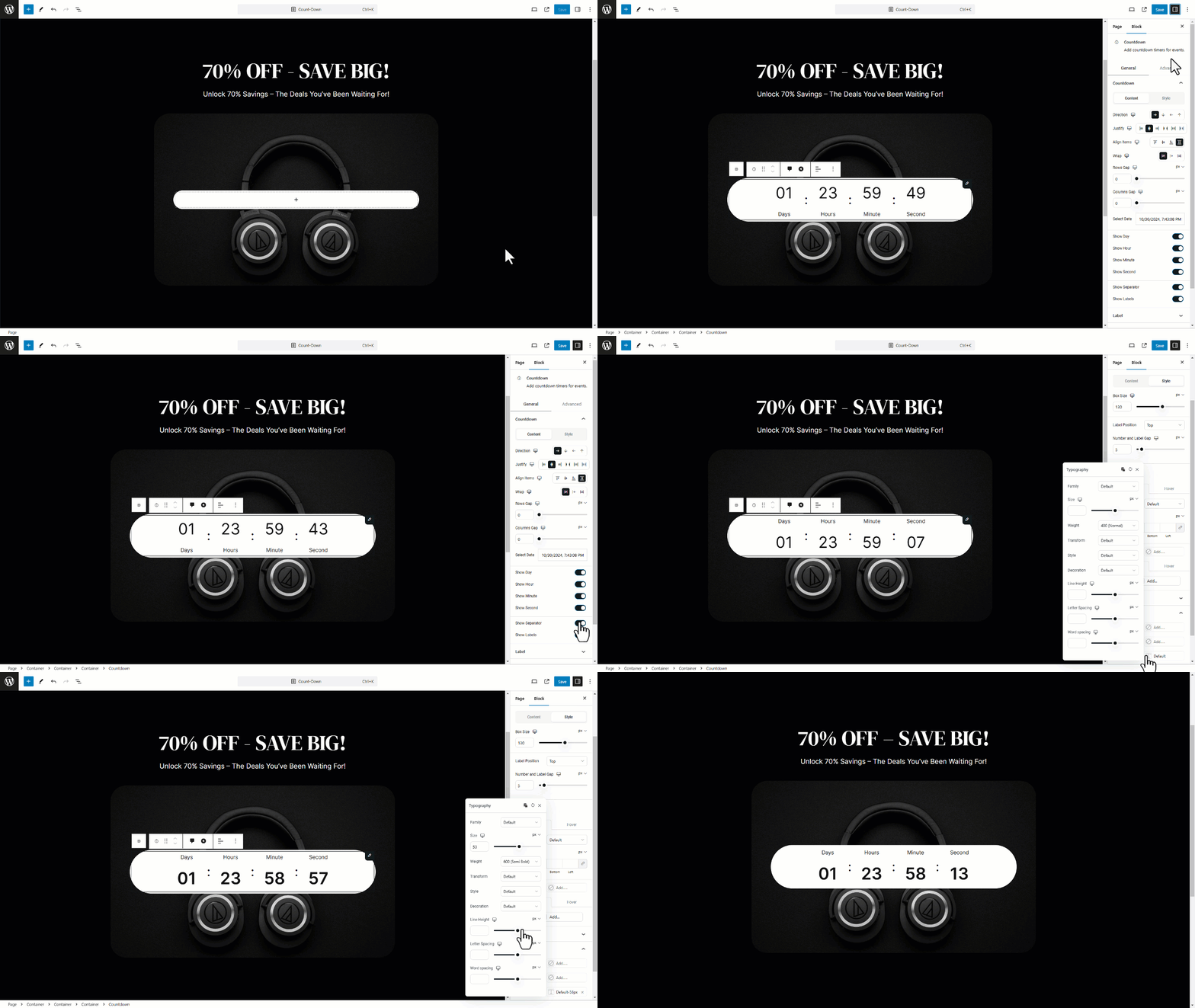
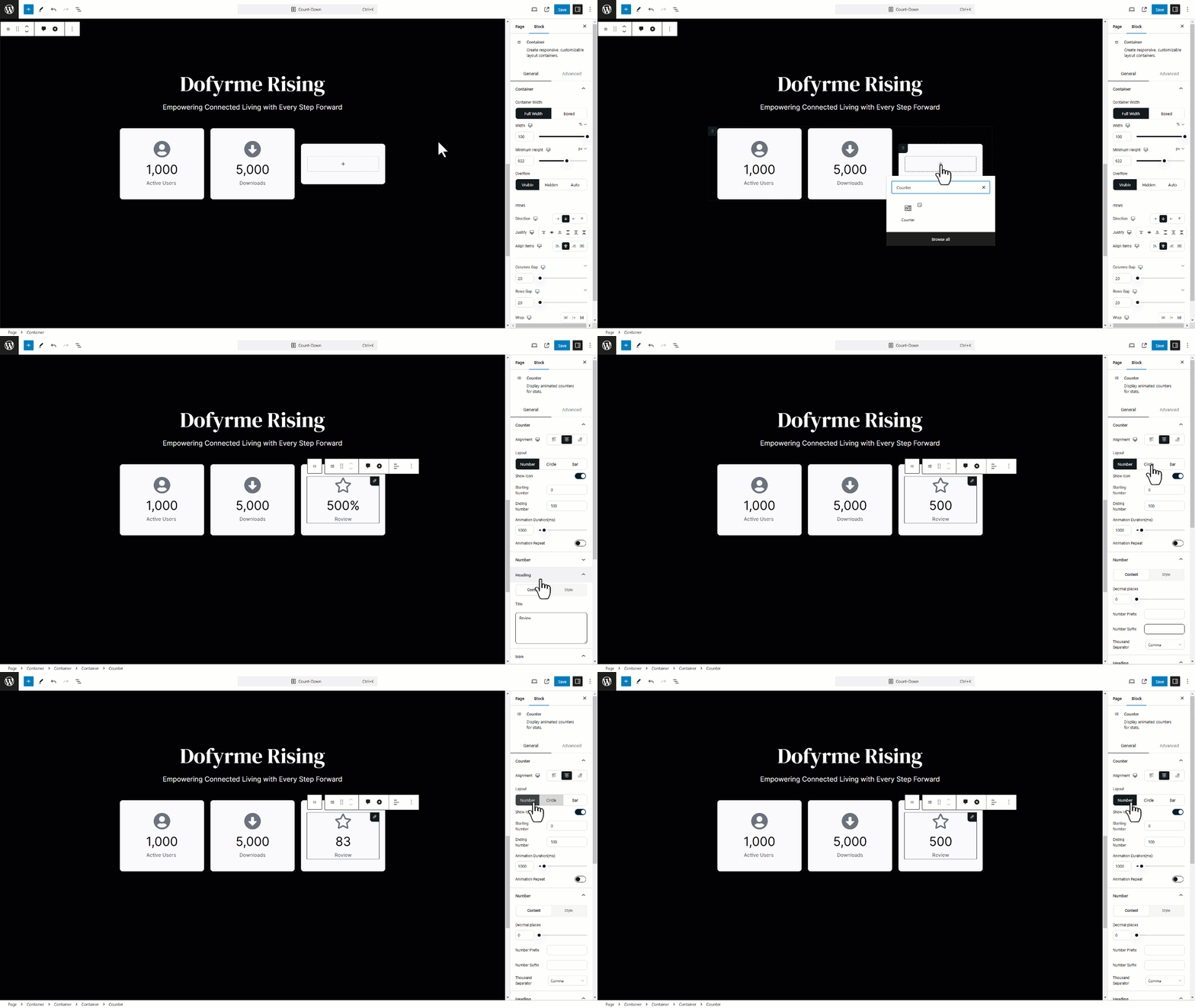
- Countdown & Counter: time-based and number animations for urgency and highlights
- Video & Player: styled video embeds with layout and interaction options
- Code Highlighter: display styled code snippets for docs, tutorials, or dev-focused pages
- Stacked Cards: create layered, scroll-driven card layouts with depth and interaction
- Image, Featured Image & Image Scroll: full control over display, motion, and effects
- Image Hotspot & Flip Box: interactive content reveal with hover and click actions
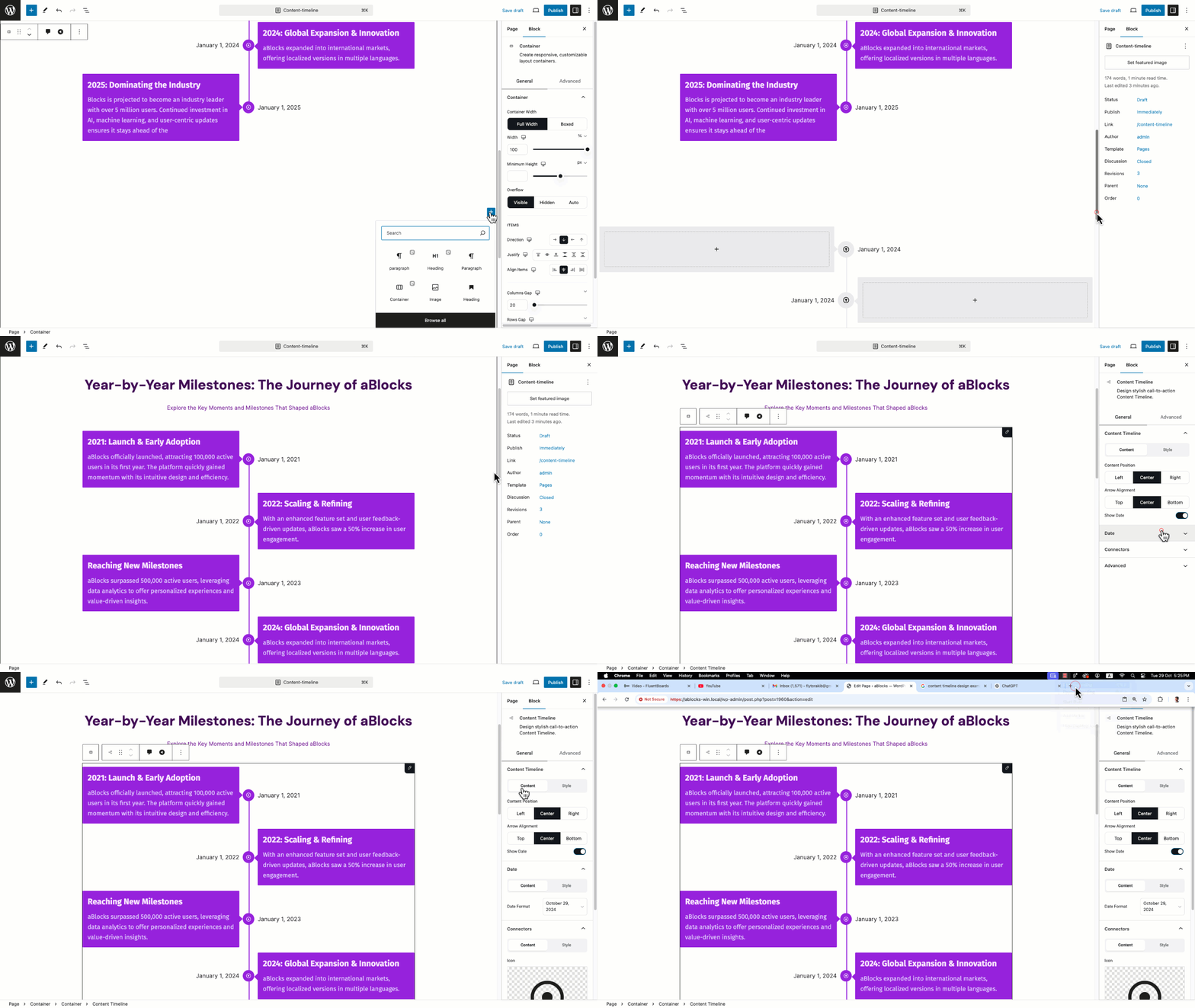
- Content Timeline & Progress Tracker: step-based and journey-style layouts
- Carousel & Stacked Cards: animated content sliders and layered visual sections
- Info Box & Filterable Cards: structured content blocks with dynamic filtering
- SVG Draw & Lottie Animation: vector and motion graphics with smooth animation
- Marquee & Text Path: moving text and curved text effects for creative sections
- Chart & Table: visual data presentation with layout control
- Simple & Mega Menu: advanced navigation layouts for complex sites
- Loop Builder & Dynamic Text: dynamic content layouts powered by real data
- Breadcrumb, Scroll To Top & Logout: UX-focused blocks for navigation and user flow
- Frontend Dashboard: interactive dashboard layouts built visually
Content Blocks
- Heading: advanced typography, multi-color text, animations, and link support
- Paragraph: rich text styling with spacing, animation, and layout control
- List: styled lists with icons, spacing control, and clean content flow
- Advance Lists: feature-style lists with icons, alignment, and visual emphasis
- Button: fully customizable buttons with hover effects, icons, and animations
- Dual Button: two-action buttons with balanced layout and interaction control
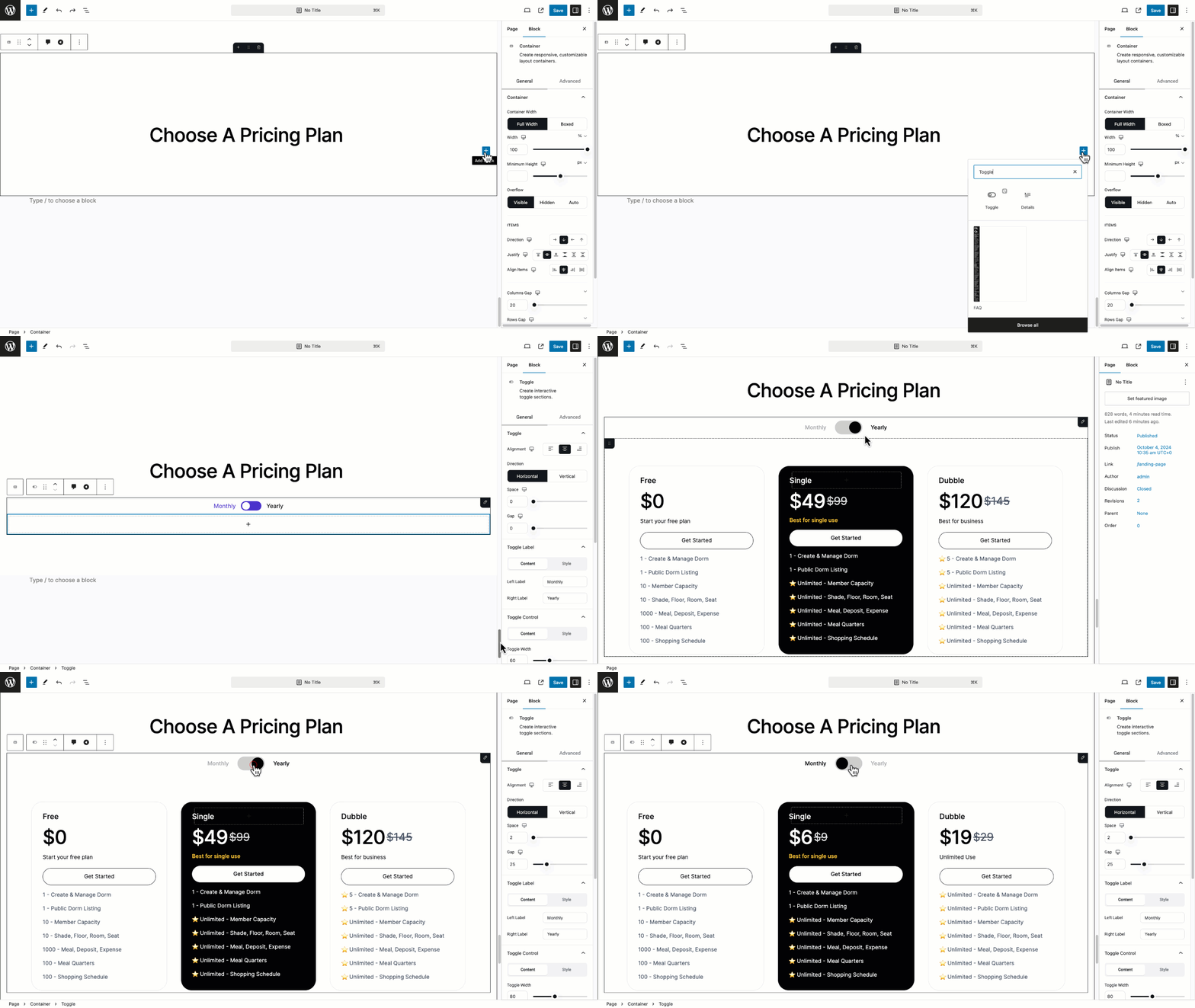
- Toggle: switchable content blocks for clean, interactive layouts
- Icon: scalable icons with color, size, hover, and animation control
- Star Ratings: visual rating display for reviews, products, and feedback
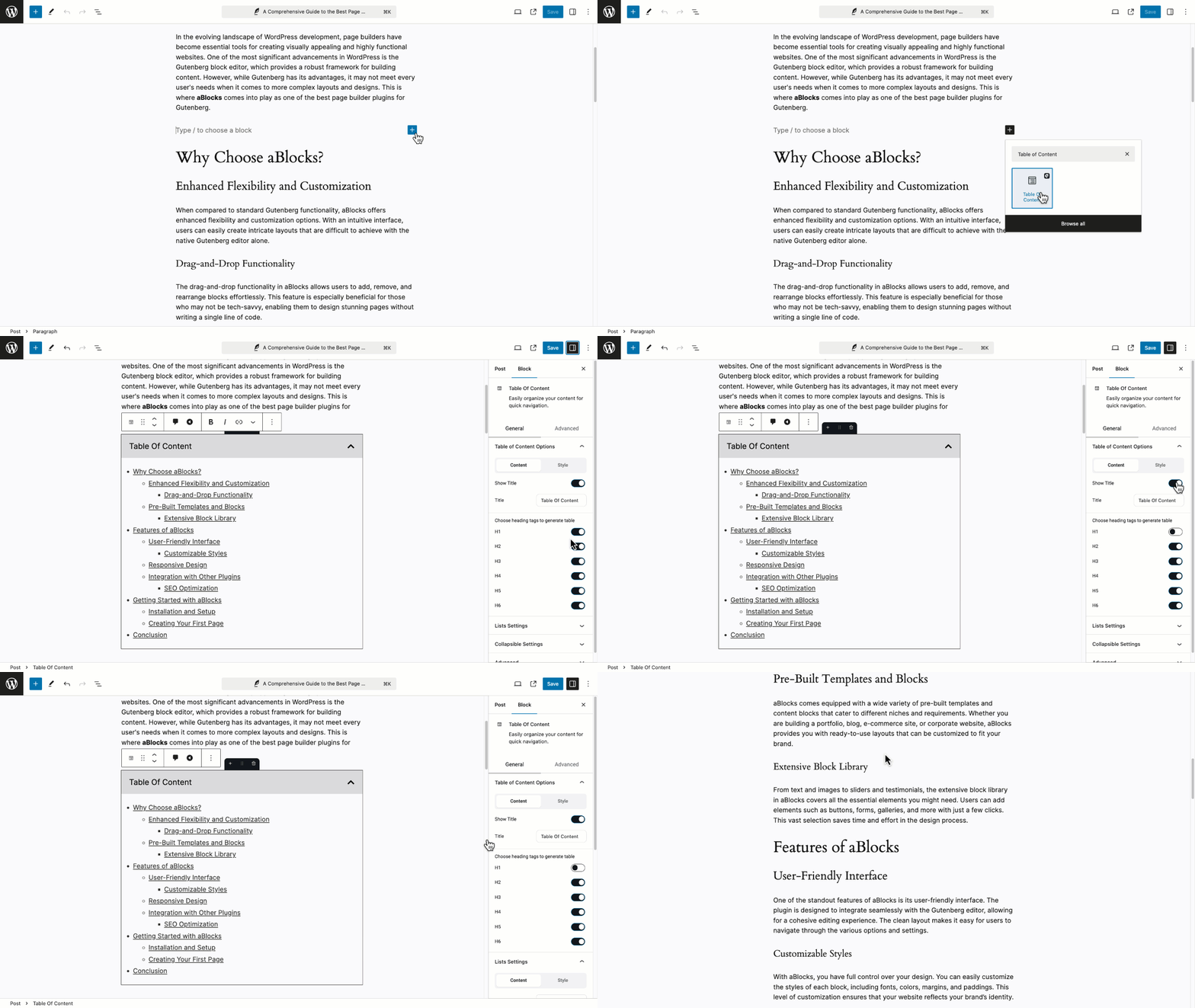
- Table of Contents: auto-generated navigation for long pages and articles
- Search: styled search layouts with flexible placement and design control
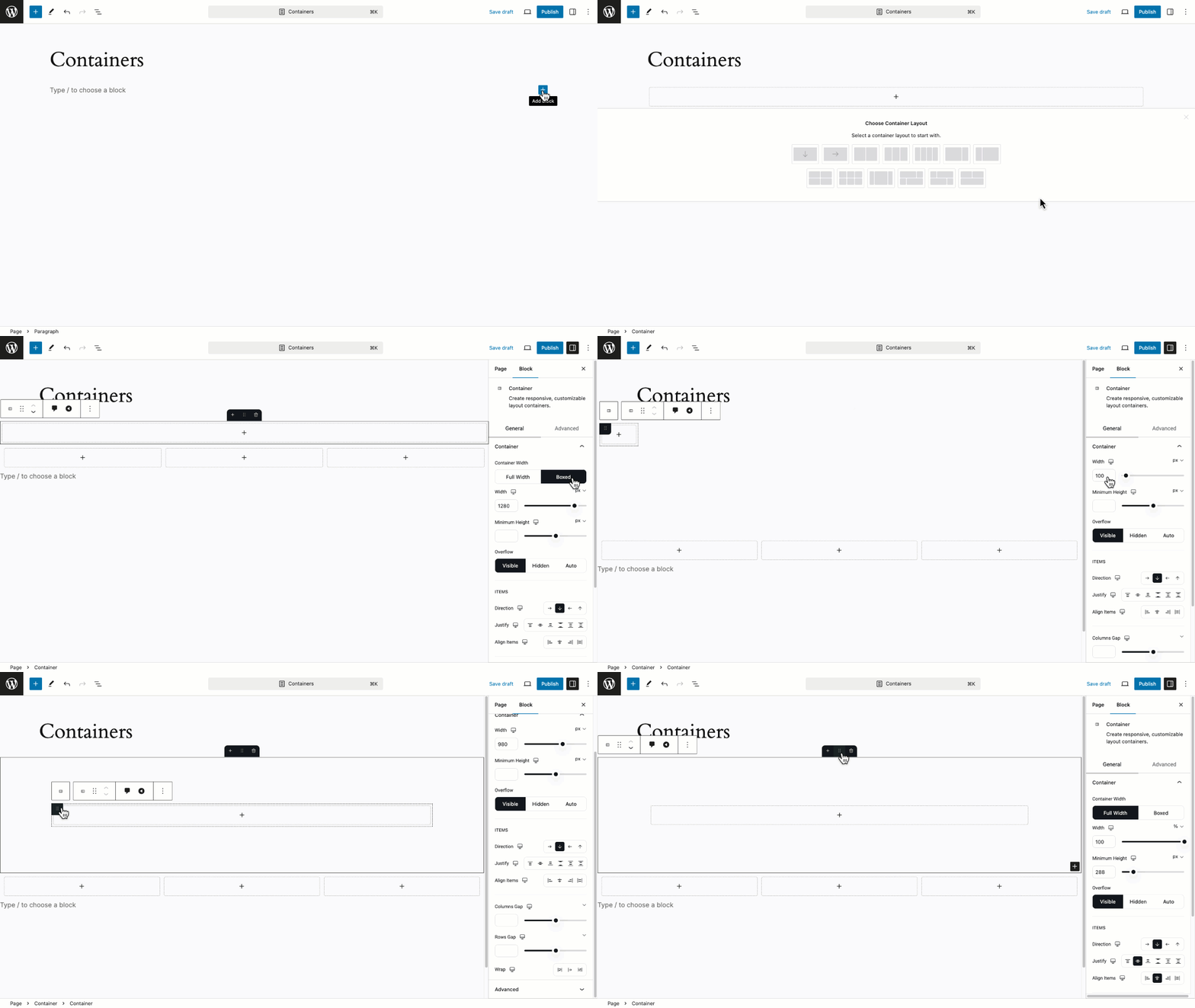
- Container: advanced layout wrapper with spacing, alignment, and responsive control
- Spacer: precise spacing control without breaking layout flow
- Divider: styled separators with size, color, and layout control
- Taxonomy Listing: dynamic display of categories, tags, or custom taxonomies
Form Blocks
- Form Builder: one flexible system to create any type of form with full layout, style, and logic control
- Login, Registration & Password Forms: user access flows built visually — login, signup, reset, and account actions
- Contact, Newsletter & Lead Forms: simple to advanced lead collection with full design and field control
- Single-step & Multi-step Forms: clean forms or guided step-by-step flows for better completion rates
- Conversational, Survey & Quiz Forms: interactive, question-based forms that feel natural and engaging
- Order, Payment & Donation Forms: collect orders, payments, or donations directly from the page
- Feedback & Custom Forms: fully customizable forms for any custom workflow or business need
Academy Blocks
- Course Grid & Course Search: dynamic course listings with filters, layouts, and real-time data
- Enroll Form & Enroll Content: custom enrollment sections with full layout and style control
- Student Registration & Instructor Registration Forms: role-based onboarding flows built visually
- Login Form & Password Reset Form: custom access pages connected to your learning system
- PDF Embed & Course Media: lesson materials, videos, and documents displayed cleanly
- Course Curriculum & Course Description: structured lesson layouts with flexible presentation
- Course Instructor & Additional Info: instructor profiles and metadata shown dynamically
- Course Reviews, Reviews Form & Reviews List: collect and display feedback inside your site
- Certificate Builder: generate and display course certificates with custom design
eCommerce Blocks
- Products, Product Summary & Product Description: flexible product layouts with full design and content control
- Add To Cart, Continue Button & Checkout Button: conversion-focused actions designed to guide users smoothly
- Cart List, Mini Cart & Cart Sub Table: real-time cart views with clear structure and easy customization
- Checkout Form, Billing Info & Shipping Info: fully customizable checkout sections without theme limits
- Order Details & Order Info: clean order summaries that improve post-purchase clarity
- Product Filter & Coupon Form: smarter browsing and promotions to boost conversions
- Product Review & Cart Notice: trust-building feedback and timely user messages
Pro Controls
- Display Condition: show or hide content based on user role, login state, device, page, or rules
- Motion Effects & Scrolling Effect: animate elements on scroll with smooth, controlled movement
- Mouse Effects: react to cursor movement for interactive, modern UI
- Sticky & Floating Effect: keep key elements visible or floating while users scroll
- Tooltip: show contextual info on hover without cluttering layouts
- Group Image Effect: apply shared motion and effects across multiple images
aBlocks Replaces Multiple Plugins
aBlocks is designed to reduce plugin dependency, not increase it. Instead of stacking different tools for design, animation, dashboards, forms, popups, performance, and launch control, aBlocks brings these capabilities into one connected system — built to work together from the start.
With aBlocks, you can replace the need for:
Page builders – visual layouts, advanced blocks, responsive control
Theme builders – headers, footers, templates, dynamic layouts
Dashboard plugins – frontend user dashboards, login, account pages
Animation plugins – scroll, hover, motion, GSAP-powered effects
Popup & modal plugins – popups, modals, notices, interactions
Form plugins – login, registration, lead, payment, survey forms
Coming soon plugins – coming soon & maintenance modes
Performance helpers (partially) – smart asset generation and optimized loading
The result is a cleaner setup, faster sites, fewer conflicts, and easier scaling.
Instead of managing 10–20 separate plugins, you build everything inside one flexible builder that grows with your website.
🔥 WHAT’S NEXT
If you like aBlocks, then consider checking out our other WordPress Plugins for FREE:
🔝 Academy LMS – eLearning and online course solution for WordPress
🔝 Easy Content Manager – Powerful Custom Post types, Fields, Taxonomy & Settings Builder
🔝 StoreEngine – Complete eCommerce Solution with Memberships, Licensing, Affiliates & More
🔝 ZenCommunity – Real-Time Community Plugin with Messaging, Feeds, Live Chat & Support System
🤝 Join the thriving aBlocks community today!
👉 Join Our Community
👉 Our Official Facebook Page
👉 Follow us on Twitter
👉 Connect in our Linkedin
…
Captures d’écran
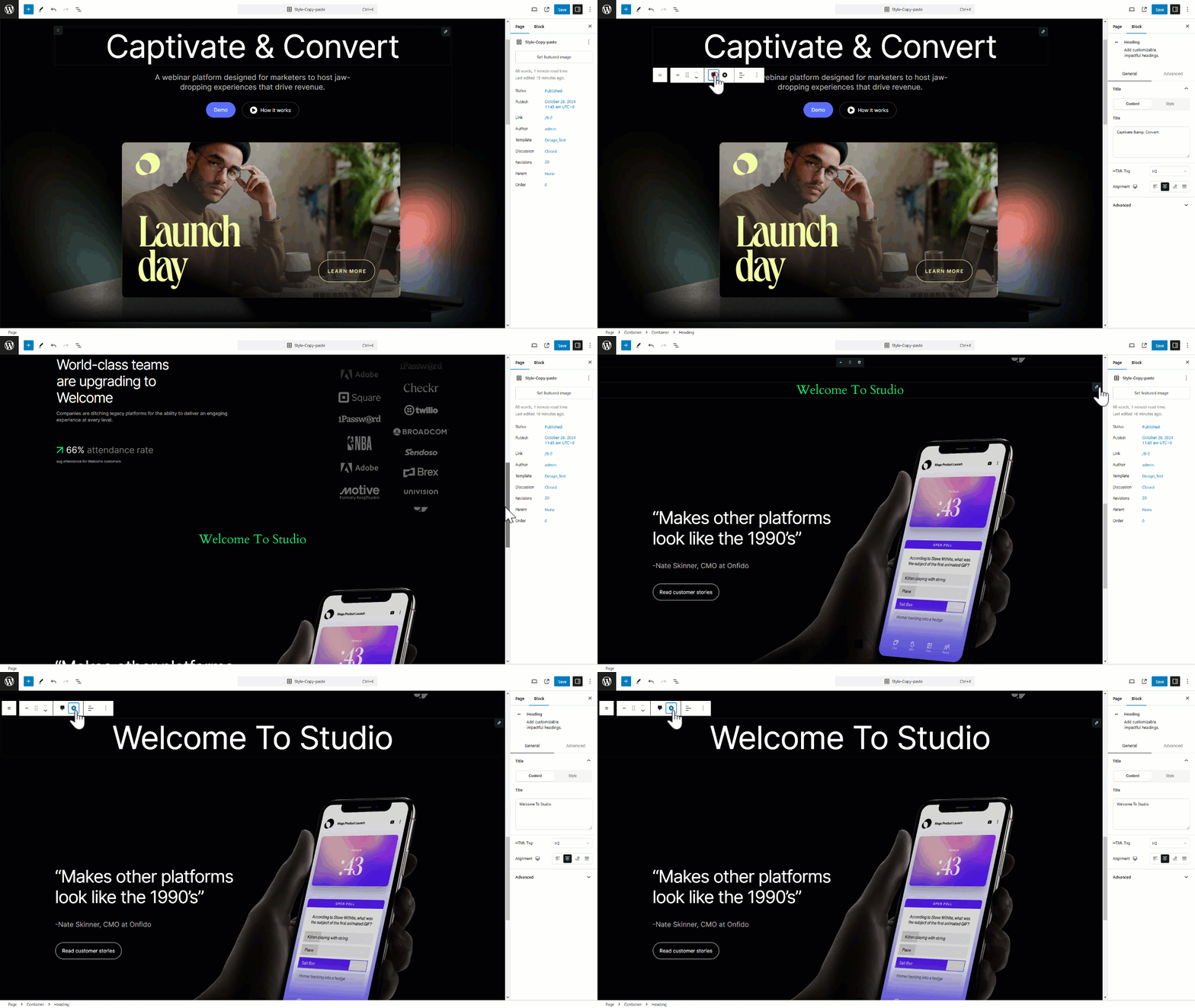
Blocs
Cette extension offre 132 blocs.
- Products Filter Adds filter options (by category, price, tag, etc.) to your product archive or shop page for improved user experience.
- Atomic Image A single image with object-fit, sizing and the full atomic style system.
- Course Searchbar Course search bar for Academy LMS.
- Player Embed responsive, customizable video.
- Loop Builder Use Advanced Query Loop Builder
- Text-Path Create interactive text paths for visually engaging effects.
- Reaction A customizable reaction for Easy Content Manager.
- Course Reviews Showcase Academy LMS courses attractively.
- Image Hotspot Add customizable, impactful image hotspot.
- Counter Display animated counters for stats.
- Password Reset Showcase Academy LMS password reset form attractively.
- Divider Add stylish content section dividers.
- Easy Content Manager Claim Count A customizable claim count for Easy Content Manager.
- Icon Enhance content with a diverse library of icons.
- Countdown Add countdown timers for events.
- Modal Create customizable modal popups.
- Enroll Form Showcase Academy LMS Enroll Form attractively.
- Course Media Easily customize the main course image/video in one click
- Info Box Add customizable, impactful headings.
- List Design customizable, organized lists.
- Map Show google map or OpenStreet map
- Course Curriculum Showcase Academy LMS courses attractively.
- Course Instructor Showcase student reviews and testimonials in a styled list.
- Addition Info Display detailed additional information for a specific course.
- Heading Add customizable, impactful headings.
- Easy Content Manager Bookmark List A customizable bookmark list for Easy Content Manager.
- Easy Content Manager Upvote List A customizable upvote list for Easy Content Manager.
- Student Registration Form Showcase Academy LMS Student Registration form attractively.
- Atomic Div A generic container — one semantic element wrapping inner blocks, with the full atomic style system.
- Review List Showcase student reviews and testimonials in a styled list.
- Funnel Decline A customizable button that takes users to the next step in the shopping or checkout process (e.g., from cart to checkout).
- Easy Content Manager Claim List A customizable claim list for Easy Content Manager.
- Dual Button Craft beautiful, fully customizable Dual Button.
- Product Description Show you Product Description Customizeable UI
- Logout Quick user logout option.
- SVG Draw Add customizable, impactful SVG Draw.
- Certificate Certificate Block
- PayPal Button Add PayPal payment functionality to your site.
- Instructor Registration Form Showcase Academy LMS instructor registration form attractively.
- Cart Sub Table Shows the cart summary table, including subtotal, shipping cost, tax, and total price. Useful to display in cart or checkout pages.
- Atomic SVG Inline SVG markup you can size, colour (fill / stroke) and style with the full atomic system.
- Toggle Create interactive toggle sections.
- Easy Content Manager Bookmark Button A customizable bookmark button for Easy Content Manager.
- Funnel Accept A customizable button that takes users to the next step in the shopping or checkout process (e.g., from cart to checkout).
- Progress Tracker Add customizable, impactful Progress
- Search Add customizable, impactful search.
- Notification A customizable notification block for displaying important messages .
- Funnel Checkout Provide essential order information like order ID, status, and date.
- Container Create responsive, customizable layout containers.
- Taxonomy Listing Display posts from selected taxonomies
- Filterable Cards Filterable card-based layout.
- Login Form Showcase Academy LMS login form attractively.
- Billing Info Show the billing address associated with the customer’s order.
- Image Insert and style customizable images.
- Button Design stylish call-to-action buttons.
- Paragraph Craft beautiful, fully customizable paragraphs.
- Stripe Button Stripe payment integration.
- Price Menu Craft beautiful, fully customizable price-menu.
- Easy Content Manager Upvote Count A customizable reaction for Easy Content Manager.
- Product Review Display key product Review Overview, and excerpt in a clean, organized layout.
- Spacer Easily add adjustable layout spacing.
- Cart List Displays the list of products currently added to the shopping cart, including quantity, price, and remove buttons.
- Easy Content Manager Claim Button A customizable claim button for Easy Content Manager.
- Content Timeline Design stylish call-to-action Content Timeline.
- Course Description Showcase student reviews and testimonials in a styled list.
- Courses Showcase Academy LMS courses attractively.
- Form Builder Add customizable, impactful forms.
- PDF Showcase Academy LMS PDF attractively.
- Table Create a fully customizable, responsive table. Supports multiple rows and columns
- Breadcrumb Dynamic Breadcrumb Blocks
- Marquee Auto scrolling item display.
- Carousel Make attractive image presentation with carousel
- Atomic Grid A CSS grid container — lay inner blocks out in columns and rows with the full atomic style system.
- Easy Content Manager Claim Badge A customizable claim badge for Easy Content Manager.
- Product Summary Display key product information description, and excerpt in a clean, organized layout.
- Fetured Image Showcase Featured Image attractively.
- Atomic Flex A flexbox container — arrange inner blocks in a row or column with the full atomic style system.
- Coupon Add clickable coupons that copy codes instantly.
- Cart Notice Display a customizable notice or confirmation message when a product is added to the cart. Perfect for upsells, promotions, or feedback.
- Table Of Content Easily organize your content for quick navigation.
- Tabs Display content in tabbed sections.
- Product Gallery Display product images in an elegant, customizable gallery
- Checkout Form Renders the full checkout form, including billing, shipping, and payment sections.
- Frontend Dashboard User Dashboard
- Easy Content Manager Bookmark Badge A customizable bookmark badge for Easy Content Manager.
- Order Details Provide essential order information like order ID, status, and date.
- Mini Cart Button Display a button for shoppers to quickly view their cart.
- Image Comparison Compare two images easily.
- Funnel Offer Provide essential order information like order ID, status, and date.
- Flip Box Engaging content flip effect.
- QR Code Transform boring links into branded QR codes that pop!
- Review Form Showcase Academy LMS courses attractively.
- Checkout Button Displays the final button for confirming and placing the order after all required checkout fields are completed.
- Lottie Animation Embed responsive, customizable Animations.
- Social Shares Add customizable social media share buttons
- Scroll To Top Add a scroll-to-top button that helps visitors quickly return to the top of the page.
- Star Ratings Display reviews with star ratings.
- Dynamic Text Dynamic text used for trimming and formatting content
- Add To Cart A customizable Add to Cart button that adds products and advances customers in the purchase process.
- Continue Button A customizable button that takes users to the next step in the shopping or checkout process (e.g., from cart to checkout).
- Advance lists Customizable, dynamic, organized lists.
- Login Form Shows a user login form for customers to log into their accounts before checking out or viewing orders.
- News Ticker Add your news ticker
- Products Display a dynamic list of products with customizable layout and sorting options.
- Shipping Info Show the shipping address provided during the checkout process.
- Atomic Text One atomic text block for headings and paragraphs — renders a single semantic tag with no wrapper.
- List Design customizable, organized itemLists.
- Chart Add customizable, impactful charts.
- Menu Show Navigation
- Video Embed responsive, customizable video.
- Funnel Continue A customizable button that takes users to the next step in the shopping or checkout process (e.g., from cart to checkout).
- Easy Content Manager Upvote A customizable upvote for Easy Content Manager.
- Enroll Content Display detailed additional information for a specific course.
- Coupon Form Allows users to apply discount codes during the checkout process. Supports error and success message handling.
- Reaction List A customizable reaction list for Easy Content Manager.
- Image Scroll Insert and style customizable images.
- Order Info Provide essential order information like order ID, status, and date.
- Easy Content Manager Bookmark Count A customizable bookmark count for Easy Content Manager.
- Accordion Organize content into collapsible sections.
- Input Easily add adjustable layout spacing.
- Select Easily add adjustable layout spacing.
- Multi Step Add customizable, impactful forms.
- Certificate Text Certificate Text Block
- Multi Select Easily add adjustable layout spacing.
- Content Timeline Child Design stylish call-to-action content-timeline-child.
- Single Accordion Show Accordion Item
- Tabs Child Design stylish call-to-action tabs-child.
- Password Easily add adjustable layout spacing.
- table-row Create a fully customizable, responsive table. Supports multiple rows and columns
- Certificate Container Certificate Container Block
- Textarea Easily add adjustable layout spacing.
- Certificate ID Certificate ID Block
FAQ
Can I Use aBlocks with any WordPress Themes?
Yes, aBlocks works with any WordPress theme. It integrates with the Gutenberg editor, so you can use its customizable blocks no matter which theme you have. For the best results, make sure your theme supports the latest version of Gutenberg.
Is aBlocks suitable for beginners with no coding experience?
Absolutely! aBlocks has an easy-to-use interface, making it accessible for all skill levels. Whether you’re new to website building or a seasoned developer, you can create beautiful, functional pages without any coding knowledge. The controls are intuitive, and customization options are comprehensive.
Can I Customize the styling of individual blocks in aBlocks?
Yes, each block in aBlocks offers extensive customization options. You can adjust background colors, gradients, images, padding, margins, borders, shadows, and more. There are also responsive settings to apply different styles for desktop, tablet, and mobile views, maintaining a consistent look across devices.
Avis


Contributeurs & développeurs
« aBlocks – Gutenberg Blocks, User Dashboard Builder, Popup Builder, Form Builder & Animation Builder » est un logiciel libre. Les personnes suivantes ont contribué à cette extension.
Contributeurs


“aBlocks – Gutenberg Blocks, User Dashboard Builder, Popup Builder, Form Builder & Animation Builder” a été traduit dans 2 locales. Remerciez l’équipe de traduction pour ses contributions.
Le développement vous intéresse ?
Parcourir le code, consulter le SVN dépôt, ou s’inscrire au journal de développement par RSS.
Historique des changements
2.14.0 – 24/09/2026
- Added – Content Timeline: Top and Bottom content positions lay the items out in a horizontal row, with the connector line and scroll animation running between the markers and items stacking on small screens
- Added – Image Hotspot: each hotspot can show an icon inside its pin, with Icon Color and Icon Size settings
- Improved – Content Timeline: in the Top and Bottom layouts, Arrow Alignment reads Start, Center and End and places the arrow under the marker, including on small screens
- Improved – Content Timeline: the connector line re-measures when items are added, removed or reordered, when the content changes size and when images finish loading
- Improved – Heading: animated headings get their own HTML Tag (H1–H6), Alignment, Typography and Text Shadow settings in every animation type, and the animated text inherits the heading typography
- Improved – Heading: the Typing, Slide Down and Swirl animations keep the heading the same size while they run, so the text around them no longer shifts or re-wraps, and the slide animations stay inside the phrase
- Improved – Heading: typing holds the full phrase before the next one starts, the caret follows the last typed letter, and hidden padding letters no longer show as blank pauses
- Improved – Tabs: the active tab’s icon takes the title’s active colour
- Fixed – Heading: an animated heading could keep running twice after its settings changed in the editor or after switching browser tabs
- Improved – Atomic Border: on tablet, mobile and custom breakpoints, Border width and Border radius show the value and unit inherited from wider breakpoints on every side and corner, instead of empty
0 PXfields, and a value typed there keeps the inherited unit - Improved – Atomic Border: clearing a Border width or radius set on a breakpoint shows the inherited value again instead of
0 - Improved – Atomic Border: an inherited Border color shows a colour chip next to its code, and an inherited Border type shows as inherited, including the hint that a double border needs at least 3px
- Fixed – Atomic Border: a breakpoint or hover/focus state that only changed the border width or colour turned an inherited dashed, dotted or double border into a solid one
- Fixed – Atomic Border: the editor and the frontend now resolve the inherited border type the same way, including at custom breakpoints, and pages saved before this update pick up the corrected styles without being re-saved
2.13.1 – 15/09/2026
- Security – Loop Builder: the public loop request now limits how many posts one request can render (100 by default, filterable with
ablocks/loop_builder/max_posts_per_request), and only accepts post types and taxonomies that are publicly viewable - Security – Search block: the public search request only searches publicly viewable post types and returns at most 20 results (filterable with
ablocks/search/max_results) - Security – Template importer: plugin dependency names are shown as plain text instead of HTML
- Improved – Built JavaScript files and bundled libraries no longer contain extremely long single lines, so they can be reviewed line by line
2.13.0 – 15/09/2026
- Added – Link Guard addon (off by default): links to scheduled, draft, private, trashed or deleted posts are unwrapped when the page renders, keeping their text, and come back as soon as the linked post is published
- Added – Cookie Consent: third-party embeds such as video players and maps are blocked until the visitor consents, the same as scripts
- Added – Cookie Consent: preferences open as a dialog that works with every banner layout, and visitors can close the banner without accepting
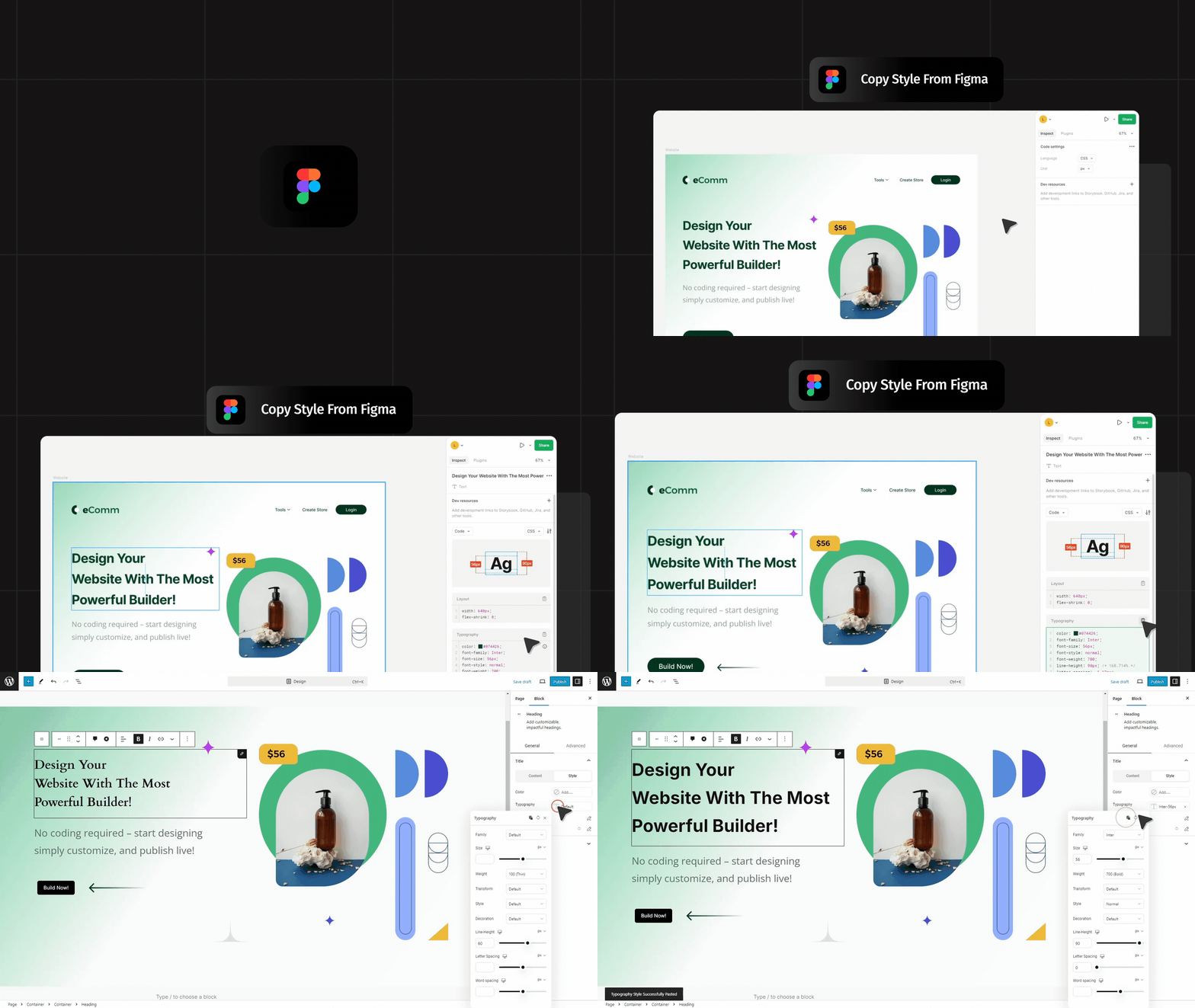
- Added – Copy Styles and Paste Styles for atomic blocks: copy the look of any atomic block, including its global classes and animations, and paste it onto any other atomic block
- Improved – Cookie Consent: the Banner settings are split into Layout, Content, Buttons, Preferences and Colours sub-tabs, and the live preview stays in view while you edit
- Improved – Cookie Consent: the Tags tab checks whether another plugin actually places a tag before disabling its field, and sites behind a CDN or reverse proxy can say where the visitor’s real IP address is
- Improved – On tablet, mobile and custom breakpoints, settings show the values inherited from wider breakpoints, including every typography field, instead of empty fields
- Improved – Children of an atomic Flex row share the row equally, a container narrower than its parent is centred, and an aBlocks Container inside a Div, Flex or Grid fills the row like an atomic container
- Improved – Atomic SVG: Justify content and Align items position the icon, and a custom width keeps resizing it
- Improved – Carousel: responsive navigation and pagination settings apply at custom breakpoints, and slides per view follows the site’s breakpoint widths
- Improved – Custom breakpoints show an icon in the device switcher, with their width on hover
- Improved – Logout block custom URL controls
- Improved – Updated the StoreEngine SDK to 1.5.7
- Fixed – Editing a global class had no visible effect when the block kept its own value for the same setting, such as the direction or gap set by a layout preset
- Fixed – Side-by-side atomic containers holding text overflowed the page instead of shrinking to fit
- Fixed – Atomic blocks could break out of the theme’s content width
- Fixed – A linked atomic Div, Flex or Grid that contained other links broke the page layout on the frontend
- Fixed – Flex wrap had no effect on atomic containers
- Fixed – An empty Atomic Text collapsed on the frontend
- Fixed – A value set on tablet was not inherited on mobile
- Fixed – A container’s drag handle covered the text inside it
- Fixed – The mouse wheel did not scroll the page while the pointer was over a small atomic block such as an SVG icon
- Fixed – Choosing a background overlay image opened an empty media library
- Fixed – Pasting a sentence from Google Docs added a new block instead of pasting inline, and pasting a document into an empty Atomic Text left the empty block behind
- Fixed – Atomic blocks pasted over an Atomic Text lost their styles and classes, and outdated style classes built up on copied blocks
- Fixed – Carousel slides moved when selecting or dragging content inside a slide in the editor
- Fixed – A value of 0 set on tablet or mobile fell back to the desktop value on the frontend
- Fixed – Box shadows with a 0 offset did not render on the frontend, and a shadow on a container inside a Loop Template was clipped
- Fixed – Loop Filter: button labels wrapped after clicking a filter, filters did nothing when the loop came from a synced pattern or template, and the reloaded results lost their styling
- Fixed – Pages whose content is only a synced pattern loaded no aBlocks styles or scripts
- Fixed – List item markers were not aligned with the first line of text
- Fixed – Dynamic blocks showed « Error loading block » in the editor when another plugin added its own attributes to every block
- Fixed – Opening a page with a Heading or atomic blocks marked it as edited before any change
- Fixed – The plugin install link on the welcome page
- Fixed – A console error when aBlocks Pro is active, and duplicate block IDs on the text of several blocks in the editor
- Security – Loop Filter requests only return content the visitor is allowed to read
2.12.0 – 03/09/2026
- Added – Atomic blocks: a new family of primitives — Text, Div, Flex, Grid, Image and SVG — that render one semantic tag with no wrapper markup, share a single style system, and emit one small stylesheet per unique design instead of one per block
- Added – Reusable global classes: name a set of styles once, apply it to any atomic block, and edit it in one place to update every block using it, with a class manager for renaming, duplicating and deleting across the site
- Added – Interaction states: style Hover, Focus, Focus (keyboard) and Active on any atomic block or global class, and preview each state in the canvas while you edit it
- Added – Custom responsive breakpoints: register your own breakpoints with min and max widths, switch the canvas to them from the block toolbar, and choose whether values cascade down to narrower screens or apply only within their own range
- Added – Interactions for atomic blocks: several animations per block, each with its own trigger, easing, repeat and per-breakpoint settings, including scroll-linked animations that follow the scroll position
- Added – Paste from Google Docs: a pasted document becomes aBlocks blocks — headings, paragraphs, lists and tables — and its images are imported into the media library as WebP, deduplicated and named after their alt text. Pastes from anywhere else are untouched
- Added – Cookie Consent: a consent banner with per-category tag blocking, so scripts you register stay blocked until the visitor agrees, and every form submission records the consent that was in force when it was sent
- Added – Roles and permissions: grant editing, advanced settings or dashboard access per role, so a content-only author gets a content-only editor
- Improved – A page now loads only the global classes it actually uses, rather than the whole library
- Improved – The atomic inspector follows the layout conventions authors already know: panels that hold saved settings are marked, repeatable lists drag to reorder, and units sit on the label row
- Improved – Enable Tablet Hamburger Menu control for the navigation block
- Improved – Updated the StoreEngine SDK to 1.5.6
- Fixed – Global classes could be lost when several were saved at once: each save rewrote the whole library, so a slow request could land last and overwrite every class created while it was in flight. Saves are now serialized and applied atomically on the server
- Fixed – Class edits made just before switching to another class, closing the tab or saving the post were silently dropped
- Fixed – Creating, duplicating or converting a class waited for the server before the editor responded, so on a slow connection it looked as though nothing had happened — and a class could end up applied to a block without ever being saved
- Fixed – Pasting content into an Atomic Text block could replace it with a plain paragraph, losing the block’s styles and classes
- Fixed – Nested atomic blocks rendered without their styles on the frontend of block themes
- Fixed – A block’s own styles silently overrode the global class being edited, with nothing on screen to say so; the Style tab now names the properties responsible and can clear them
- Fixed – A global class applied to a block did not stay selected after a reload, so the next edit landed on the block’s own styles instead of the class
- Fixed – Duplicating a block did not carry its class styles across correctly
- Fixed – Custom width was ignored on Div, Flex and Grid while min and max width worked
- Fixed – A child Div did not fill the available width inside a row-direction Flex container
- Fixed – Div and Flex containers set to the same width rendered at different sizes on the frontend
- Fixed – A single Div or Flex block was hard to select with the sidebar closed
- Fixed – Flex direction was set to row but the Row icon did not read as active
- Fixed – The active class colour did not persist after clicking away
- Fixed – Accordion title index IDs and the font selection UI
- Security – Block attribute values are escaped before being written into a
<style>element, so a crafted attribute cannot break out of its own rule
2.11.1 – 14/08/2026
- Fixed – Images with a custom width rendered too tall when « Serve responsive images » was on: adding a srcset triggers WordPress core’s « sizes=auto », and an image with a width but no height had no aspect ratio, so the browser’s contain-intrinsic-size fallback stretched it. The Performance Suite now always emits both width and height (deriving the missing one from the intrinsic ratio) before adding a srcset.
2.11.0 – 12/08/2026
- Added – Performance Suite full-page cache: rendered pages are saved to disk so repeat visits skip WordPress, block parsing and theme rendering, with scheduled cache maintenance and background warming from your sitemap
- Added – Site Scanner: a scored, interactive audit that runs 22 checks across caching, images, fonts, assets, search visibility and server configuration, and for anything it flags tells you what was found, why it matters and how to fix it
- Added – Image optimization tools: on-server compression in three levels (gentle/balanced/aggressive) with optional WebP, unused-media cleanup, content-based duplicate detection, and gates that require meaningful filenames and alt text (no external API or quota)
- Added – Responsive images (srcset/sizes) and LCP image preload for faster largest-contentful-paint
- Added – Critical-CSS inlining and async CSS loading, split by property so applying deferred styles never causes layout shift (CLS-safe)
- Added – Design system lock: optionally disable one-off typography and color/gradient picks in the editor so blocks can only use your global presets and palette
- Added – Cache controls in the admin toolbar (aBlocks Cache) for quick purging
- Added – Template-resolution cache, fragment cache for FSE template parts and a shared object-cache backend to lower server load
- Improved – Self-hosted fonts are emitted as real font stacks and loaded on every page type
- Improved – Smaller generated CSS: editor-only rules are stripped from the frontend, styles are deduped in the build, and no-op transitions and invalid unit-only values are removed
- Improved – Mobile touch-target sizing for more tappable controls
- Improved – Performance settings reorganized into focused sub-tabs
- Improved – New controls for the hamburger / mobile menu
- Fixed – DeferJs breaking the storefront for logged-out visitors
- Fixed – Container link and aspect-ratio issues
- Fixed – Menu trigger and submenu click issues
- Fixed – Link reference passthrough not passing correctly
- Fixed – Global localize issues
- Fixed – Editor-CSS stripping accidentally removing valid frontend rules
2.10.0 – 05/07/2026
- Improved – Fonts are now self-hosted and loaded per page for faster, privacy-friendly rendering (no external Google Fonts request when hosted locally, and no font-related database writes while rendering a page)
- Improved – Faster block editor: Lottie, Map and Chart blocks and the Custom CSS editor now load on demand, reducing the editor bundle size
- Improved – Smoother typing in block settings with debounced text inputs
- Improved – Lower server load with cached global styles, dynamic content and parsed-block lookups, plus cached library asset reads during generation
- Improved – Safer asset caching: editing a single page no longer clears every page’s generated assets
- Fixed – Chart block not rendering in the editor
- Fixed – Dynamic content processing no longer runs on unrelated blocks
- Fixed – Removed a leftover debug log from the fonts loader
2.9.0 – 14/05/2026
* Added – ECM shortcode blocks, Bookmark Button, Bookmark Badge, Bookmark Count, Bookmark List, Claim Button, Claim Badge, Claim Count, Claim List, Upvote, Upvote List, Upvote Count, Rection, Reaction List
* Fixed – Security Issues
* Fixed – Font Family issues
* Fixed – Search block loading issues
* Fixed – Hotspot block position responsive issues
* Fixed – Content-timeline block date connector issues
* Fixed – Table block hover color issues
* Fixed – Info-Box block hover issues
* Fixed – Form block CSS issues
* Improved – Added link support for Advanced list block
* Improved – Added link and width support for image scroll block
* Improved – Added evergreen feature for countdown block
2.8.1 – 23/04/2026
- Added – Kodezen Store License support
2.8.0 – 08/04/2026
- Improved – Update form builder block UI
- Improved – Breadcrumb block schema support (SEO)
- Improved – Accordion block schema support (SEO)
- Fixed – Form success message dynamic data issue
- Fixed – All content export fatal error
- Fixed – Image scroll border radius issue in editor
- Fixed – Form submit button width issue and input style
- Fixed – Block extension enable disable active button color issues
- Added – Interactive Circle Infographic Block
2.7.7 – 13/03/2026
- Fixed – form duplicate api data saving issue
- Fixed – counter alignment issue
- Fixed – Menu child block duplicate assets loading issue
- Fixed – child script loading issue
2.7.6 – 08/03/2026
- Fixed – Search Block, Loop Builder and Form Builder conflict with assets generation
2.7.5 – 05/03/2026
- Fixed – Search & Form Block Rest API validation issues
2.7.4 – 04/03/2026
- Fixed – v2.7.3 file missing issue solved
2.7.3 – 04/03/2026
- Improvement – Free vs pro sections hide when active ablocks pro
- Improvement – StoreEngine Cart Button Block show/hide option
- Fixed – Table of content extra space removed
- Fixed – Manrope font fallback
- Fixed – Same page multiple from type not working issue
- Fixed – Multi step form submit button issue
- Fixed – form submit button responsive issue
- Fixed – submission data fetch issue
- Fixed – Support korean language in textarea
- Fixed – Cache plugin compatibility issues
2.7.2 – 20/02/2026
- Improvement – Added Icon block hover color and bg color feature
- Improvement – Added Menu block Active style color
- Improvement – Added Bulk deactivated options for block
- Improvement – Default Mail Sending Control option
- Improvement – Update Welcome Page
- Fixed – Modal block width range issue
- Fixed – info box border hover issue
- Fixed – Counter block % width issue fix
- Fixed – ladvance list block icon hover css issue
- Fixed – form submission trash data not deleted
- Fixed – icon attempt issue
- Fixed – Block theme demo import header footer issue
- Fixed – Image block wp-core error notice add
- Fixed – Taxonomy listing count issu
2.7.1 – 19/01/2026
- Fixed – Form Builder Email Sending issue
- Fixed – Theme Builder Settings Status Update issue
- Fixed – StoreEngine Continue button block issue
2.7.0 – 12/01/2026
- Removed – GSAP integration from the free version; it is now included only in aBlocks Pro. (GSAP is not GPL-licensed, so including it in the free version would violate ORG rules.)
- Fixed – Multiple security issues.
2.6.1 – 25/12/2025
- Fixed – PHPCS and Security Related all issues
2.6.0 – 25/12/2025
- Added – GSAP Integration
2.5.3 – 23/12/2025
- Added – Marquee Block Up and Down Direction
- Added – QuizPress plugin compatibility
- Fixed – Form Builder checkbox block not working issue
2.5.2 – 14/12/2025
- Improved – Loop Builder filter button loading UI
- Fixed – Redirect issues in Form Login and Registration blocks
- Added – support for editing dashboard slugs in the Frontend Dashboard
- Fixed – Checkbox selection issue in Form Multiselect block
2.5.1 – 10/12/2025
- Improved – padding option in countdown block
- Improved – Added Global data import export feature
- Improved – Added email template feature and Added Quill Editor Features
- Improved – Added load-font-locally and font download issues
- Fixed – Taxonomy listing issues
- Fixed – Frontend Dashboard Active Color
- Fixed – Template search undefined issues
- Fixed – Form multiple select issues
2.5.0 – 24/11/2025
- Added – Dynamic Text Block
- Improved Added frontend dashboard breadcrumb and quick edit button
- Improved Added Global data import export feature
- Improved Added mouse hover effect in our dynamic block
- Fixed – CSS Classes generated auto when use Entrance Animation
- Fixed – search block icon and background color
- Fixed – store engine blocks css conflict issues
- Fixed – ORG security issue imp
- Fixed – feature image block issue in template
2.4.1 – 15/11/2025
- Added – Academy Container Block
- Added – Frontend Dashboard Block
- Added – StoreEngine Product Gallery Block
- Added – StoreEngine Product Summary Block
- Added – StoreEngine Product Description Block
- Added – StoreEngine Product Review Block
- Added – StoreEngine Product Comments Block
- Added – StoreEngine Cart Notice Block
- Added – Notice Component
- Improved Added From Builder multiple new features
- Improved Added Player block autoplay, loop, and mute options
- Improved Added Icon control border and box-shadow
- Fixed – Global color multiple issues
- Fixed – Global typography multiple issues
- Fixed – Fixed multiple bugs for next release
2.4.0 – 30/10/2025
- Added – Global Color & Typography Control support
- Added – Social share block new styling control
- Added – New Academy LMS Media Block
- Fixed – Dashboard UI issues
- Fixed – Table of Content issue
- Fixed – Tabs Block issue
2.3.1 – 07/10/2025
- Added – New Academy Enroll Content Block
- Added – New Academy Course Description Block
- Added – New Academy Course Instructor Block
- Added – New Academy Addition Info Block
- Added – New Academy Reviews List Block
- Added – New Academy Reviews Form Block
- Added – New Academy Course Reviews Block
- Added – New Academy Course Curriculums Block
- Added – New Storeengine mini cart Block
- Fixed – Advance container position issue
- Fixed – Product Card Gap issues on Dashboard
- Fixed – Dashboard Dynamic page support for blocks
- Fixed – Dashboard Dynamic page support for Academy LMS
- Fixed – Store and academy active button loading issues
- Fixed – Container shape auto css Generation issue
- Fixed – Container shape auto css Generation issue
- Improved – Added Carousel Pagination Border type
- Improved – Added Form Integration Docs link
2.3.0 – 29/09/2025
- Added – New BreadCrumb Block
- Added – New Featured Image Block
- Improved – Loop Builder Featured Image
- Improved – Demo Importer UI
- Improved – Scroll To Top bar block
- Improved – StoreEngine Add to cart button block
2.2.2 – 17/09/2025
- Fixed – Block icon issues
2.2.1 – 17/09/2025
- Added – Container Block Link support
- Fixed – Typography Control alignment issue
- Fixed – Image Block extra space issue
- Fixed – Container Margin Left and right not working
- Fixed – Academy LMS & StoreEngine Integration Block Control issue
- Fixed – QR Code block issue
- Fixed – Search Block Background not working issue
- Fixed – Advance List Block issue
2.2.0 – 01/09/2025
- Added – Form Builder Upload Block compatibility
- Added – New QR Code Block
- Added – New StoreEngine add to cart button Block
- Added – Next highlights option for rich text editor
- Added – Info box responsive control support
- Added – Theme Global color support for all block
- Updated – Carousel Block Improvements
- Updated – Content timeline Block Improvements
- Updated – Tabs Block Menu UI update
- Fixed – StoreEngine Integration block issue
- Fixed – Image Scroll block height issue
- Fixed – Video Block issue
- Fixed – Integration block search issues
- Fixed – Background Overlay issue
- Fixed – Accordion block animation issue
- Fixed – Heading block anchor color issue
- Fixed – Group Button Block Responsive issue
- Fixed – Container alignment issue
- Fixed – Icon Block issue
- Fixed – Text/Textarea Field number conflict issue
- Fixed – Form submission dashboard update
2.1.0 – 05/08/2025
- Added – New 4 StoreEngine supported Blocks
- Added – Popup Builder inside theme builder
- Improved – Form Builder Child Block Improvement
- Improved – Reduce child block css file for better optimized
- Fixed – Device Responsive issue
- Fixed – FSE theme assets generation issue
- Fixed – Block Validation error
2.0.2 – 24/07/2025
- Added – Academy LMS Enroll Button Block
- Added – StoreEngine Integration Block
- Update – Modal Block Improvement
- Fixed – Range Control frontend responsive unit value issue
2.0.1 – 16/07/2025
- Added – Video Background Support
- Fixed – Form Builder column issue
- Fixed – Dynamic Content meta fatal error
2.0.0 – 14/07/2025
- Added – New Player Block
- Added – Heading Block typing effects
- Added – Container Grid Support
- Added – Container Shape Divider
- Added – Heading block link support
- Added – New Loop Builder Block
- Added – StoreEngine 9+ Integration Block
- Updated – 60+ Blocks Dom optimized
- Updated – Search Block Improvement
- Updated – Modal Block
- Fixed – responsive css generating issue
- Fixed – Container inner block inline issue
- Fixed – Icon Block Merging issue
- Fixed – Table of Content List issue
- Fixed – Spacer Block resize issue
- Fixed – Countdown Block alignment issue
- Fixed – Map Block Icon Issue
- Fixed – Info Box block theme compatibility issue
- Fixed – Social Share Block Improvement
1.9.3 – 26/05/2025
- Fixed – Security issue
1.9.2 – 26/05/2025
- Fixed – Security issue
1.9.1 – 22/04/2025
- Fixed – Form Builder FSE theme compatibility issue
- Fixed – Social Share block issue
- Fixed – Demo Importer required plugin not install issue
1.9.0 – 17/04/2025
- Added – New Theme Builder Features
- Added – New Text Path Block
- Added – New Chart Block
- Fixed – Filterable Card block responsive issue
- Fixed – Global Tooltip not worked issue
- Fixed – Demo Import image not worked issue
1.8.0 – 09/04/2025
- Added – New Marquee Block
- Added – New Dynamic Content Features
- Fixed – Disabled block show inside editor after search
- Fixed – From Builder frontend width issue
- Fixed – Slider Block navigation UI
- Fixed – Image Block drag sizing issue
- Fixed – Icon block link issue
- Fixed – Filterable Block filter not selectable inside container
1.7.0 – 05/03/2025
- Added – New Form Builder Subscription, Contact, format password, reset password and custom form
- Added – Full Site Demo Importer
- Added – One Click Demo Importing option for theme developer
- Added – Custom CSS
- Added – New Filterable Cards Block
- Added – New Stripe Button Block
- Added – Menu Block Parent Block Settings option
- Added – New Advance List Block
- Added – New Logout Block
- Added – New Button Group Control
- Updated – Every Block Icon Responsive control
- Updated – Every block Button Group Control and added responsive option
- Fixed – Modal Block Scroll issue
- Fixed – Social Share Block Icon height issue
- Fixed – List Block Range Control issue
- Fixed – Tabs Block Image size issue
- Fixed – Select Control Dropdown issue
- Fixed – Google Fonts API unnecessary loading issue
- Fixed – Coupon Block Style issue
1.6.3 – 07/02/2025
- Fixed – WP File System error solved
1.6.2 – 07/02/2025
- Fixed – PCP Plugin Issue
1.6.1 – 03/02/2025
- Fixed – Container Block Full width, alignment and width issue
- Fixed – Transform Unit Select issue
- Improved – Every Block ID saving logic
1.6.0 – 29/01/2025
- Added – New Image Scroller Block
- Added – Background Overlay Control
- Added – Tab Block Auto Play & Sub Text show option
- Fixed – Reset attribute saved issue
- Fixed – Spacer Block Hight Responsive issue
- Fixed – Typography, Text Stoke Range & Unit value issue
1.5.15 – 22/01/2025
- Added – New News Ticker block
- Added – Demo Importer
- Added – Quick Container and Demo Importer option
- Added – Button block shadow control
- Fixed – Counter Block Unit Hide & Responsive issue
- Fixed – Divider Block Range & Unit value issue
- Fixed – Image Comparison responsive issue
- Fixed – Advance panel Background color not working
1.5.14 – 15/01/2025
- Fixed – Container width & alignment issue
1.5.13 – 14/01/2025
- Fixed – Container parent class issue
1.5.12 – 13/01/2025
- Improved – Sidebar Settings Button Hover
- Fixed – Control unit hide issue
- Fixed – Divider Block frontend color issue
- Fixed – Menu block mobile responsive control
- Fixed – Container Block Width issue
1.5.11 – 01/01/2025
- Added – New PayPal Block
- Fixed – Search Block Issue
- Fixed – Container Width issue
1.5.10 – 25/12/2024
- Update – Revamped Range Control
- Fixed – Range Control responsive issue
- Fixed – Carousel Block issue
- Fixed – Typography Reset
- Fixed – Alignment Control Responsive Selected issues
- Fixed – Image Hotspot child Position issue
- Fixed – Image comparison issue
- Fixed – Menu Block Toggle issue improved
- Fixed – Transform PHP warning issue
- Fixed – Redux Toolkit implement
- Fixed – Typography, Border, TextStoke responsive issue solved
- Fixed – Select Control Responsive issue
- Fixed – Info box icon css issue
= 1.5.9 – 11/12/2024 …