
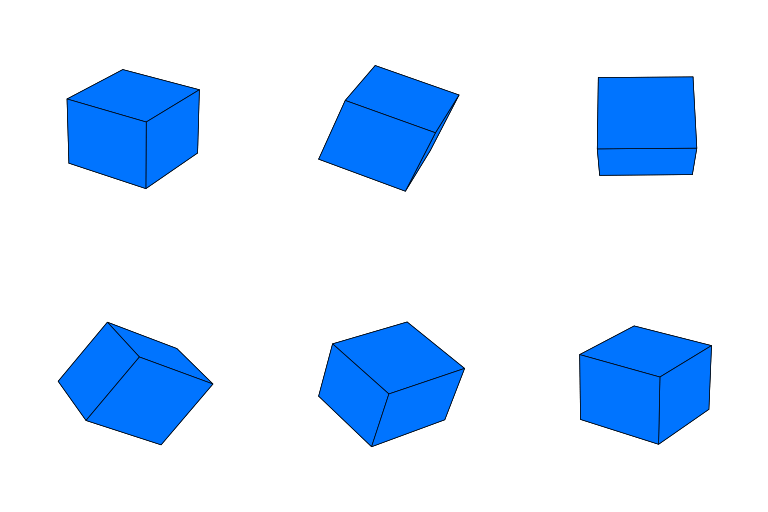
Description
Bored of static content? CubeLaunch lets you embed interactive 3D cubes and pyramids powered by WebGL—via a Gutenberg block, a shortcode, or a site‑wide “Coming Soon” overlay.
Key features
* Interactive 3D: drag to spin (X/Y) with inertia; pinch to zoom on touch devices.
* Cubes & pyramids with custom faces (images from the Media Library; built‑in 1:1 cropper).
* Gutenberg block with Small / Medium / Large presets + optional background‑color override.
* Shortcode to embed anywhere shortcodes are supported.
* Mobile‑friendly scrolling: on phones we add slim, invisible “scroll rails” around the canvas so the page still scrolls naturally even when the cube is under your thumb (side rails via CSS; top/bottom rails via a tiny JS helper). All adjustable via CSS variables.
* Coming Soon overlay (optional): a full‑page teaser with your shape, copy and a form (shortcodes/HTML).
Quick mobile tips
– Want smaller cubes on phones? Set --cl-mobile-size per instance (or change the global defaults in :root).
– Want easier scrolling near the cube? We already add invisible “rails” on phones. Tweak --cl-rail-width (sides) and --cl-rail-height (top/bottom). Set them to 0 to disable.
Note: Mobile “rails” affect embedded cubes (Block/Shortcode), not the Coming Soon overlay.
Why Choose CubeLaunch?
Whether you’re looking to create a unique product highlight, an engaging call-to-action, or simply add a touch of interactive flair to your website, CubeLaunch provides an easy-to-use solution. Its « Coming Soon » mode is perfect for building anticipation and capturing leads before your full site goes live. Ideal for portfolios, digital agencies, product launches, or any site wanting to make a memorable first impression.
CubeLaunch Pro (optional)
Unlock extras when you need them:
* Video textures for dynamic faces
* Stocks & crypto charts on faces (auto‑updating)
* Clickable face URLs to link to products or pages
* Texture rotation options
* Optional Z‑axis spin
See it in action DigiBrief.com
Basic Usage
A) Coming Soon overlay
– Admin CubeLaunch Coming Soon Settings.
– Configure the shape + faces, text, and (optionally) a signup form (shortcode or HTML).
– Enable the overlay. Visitors who aren’t logged in will see your Coming Soon page.
B) Gutenberg Block – Reusable shapes (CPT) for Posts & Pages
– Admin CubeLaunch Shapes for Pages & Posts Add New Shape Configuration.
– Choose Cube or Pyramid, set faces/background, Publish.
– In the block editor, search for and insert the “CubeLaunch Shape” block and pick your saved configuration.
– Adjust “Small / Medium / Large” in block settings.
C) Shortcodes
– On the same Shapes for Pages & Posts screen, each saved shape shows a shortcode you can paste into page builders, widgets, or classic editor.
– Example (paste literally):
[cubelaunch_shape id="123"]
-
You can add your own class for per‑instance CSS:
[cubelaunch_shape id= »123″ class= »my-promo-cube »]
Third Party Libraries
This plugin incorporates the following third-party libraries. We are grateful to their developers for making their work available.
-
glMatrix
- Source: Originally from https://cdnjs.cloudflare.com/ajax/libs/gl-matrix/2.8.1/gl-matrix-min.js (Now bundled locally in
/vendor/js/) - License: MIT License
- License URI: https://github.com/toji/gl-matrix/blob/master/LICENSE.md
- Copyright (c) 2015-2021, Brandon Jones, Colin MacKenzie IV.
- Source: Originally from https://cdnjs.cloudflare.com/ajax/libs/gl-matrix/2.8.1/gl-matrix-min.js (Now bundled locally in
-
Cropper.js
- Source: Originally from https://cdnjs.cloudflare.com/ajax/libs/cropperjs/1.5.12/cropper.min.js (Now bundled locally in
/vendor/js/) - License: MIT License
- License URI: https://github.com/fengyuanchen/cropperjs/blob/main/LICENSE
- Copyright (c) 2015-present Chen Fengyuan
- Source: Originally from https://cdnjs.cloudflare.com/ajax/libs/cropperjs/1.5.12/cropper.min.js (Now bundled locally in
Captures d’écran

screenshot-1.png – Configuring the “Coming Soon” page with a 3D pyramid. 
screenshot-2.png – Adding and customizing a CubeLaunch Shape block in the editor. 
screenshot-3.png – Rendered interactive 3D shapes on the front-end.
Blocs
Cette extension offre 1 bloc.
- CubeLaunch Shape Embeds a configured CubeLaunch 3D shape.
Installation
- Automatic: Plugins Add New search “CubeLaunch” Install Activate.
- Manual: Upload the
cubelaunch.zipvia Plugins Add New Upload Plugin.
FAQ
-
What image sizes work best for the faces?
-
Square images generally work best, especially for cube faces. For pyramid sides, the image will be masked into a triangle. We recommend images around 512×512 pixels to 1024×1024 pixels for a good balance of quality and performance. The built-in cropper helps you get a 1:1 aspect ratio.
-
How do I size cubes on mobile?
-
We ship CSS variables so you can tune sizes without
!important.Defaults (affect embedded cubes only, not Coming Soon):
:root{
  --cl-mobile-size-default: 85vw;  /* shortcodes & blocks with no preset */
  --cl-mobile-size-small:   70vw;
  --cl-mobile-size-medium:  85vw;
  --cl-mobile-size-large:   90vw;
  --cl-rail-width:          20%;   /* left/right rails (each side) */
  --cl-rail-height:         16%;   /* top/bottom rails (each edge) */
}
Change all cubes (Appearance Customize Additional CSS):
:root{
  --cl-mobile-size-default: 78vw;
  --cl-mobile-size-medium:  78vw;
}
Change just one cube (add a class, then override the var):
– Block select the block Advanced Additional CSS class(es):my-promo-cube
– Shortcode (paste literally):[cubelaunch_shape id="123" class="my-promo-cube"]-
CSS:
@media (max-width:600px){
.my-promo-cube{ –cl-mobile-size: 75vw; }
}
-
-
What are “scroll rails”? Can I disable them?
-
On small screens we add slim, invisible strips around the canvas so vertical scrolling remains easy even when your finger starts on the cube.
- Side rails (left/right) are pseudo‑elements (CSS).
- Top/bottom rails are tiny overlay elements added by a small JS helper.
Per instance:
@media (max-width:600px){
  .my-promo-cube{
    --cl-rail-width:  0;   /* disable side rails */
    --cl-rail-height: 0;   /* disable top/bottom rails */
  }
}
Shipped opt‑out classes (add to the wrapper):
–cl-rails-offturns off both
–cl-rails-x-offturns off side rails only
–cl-rails-y-offturns off top/bottom rails only -
Can I place a class on a shortcode?
-
Yes (paste literally):
[cubelaunch_shape id="123" class="homepage-hero"] -
Can developers change the defaults in PHP?
-
Use the
cubelaunch_mobile_cssfilter to alter the values we inject:add_filter( 'cubelaunch_mobile_css', function( $args ){ $args['sizes']['default'] = '82vw'; $args['sizes']['small'] = '68vw'; $args['sizes']['medium'] = '82vw'; $args['sizes']['large'] = '92vw'; $args['rail_width'] = '18%'; // side rails $args['rail_height'] = '12%'; // top/bottom rails // $args['breakpoint'] = 640; // optional // $args['enable_rails_x'] = true; // optional (side rails) // $args['enable_rails_y'] = true; // optional (top/bottom rails) return $args; }); -
Can I use videos or charts on the faces?
-
Image textures are supported in this free version. Video textures, auto-updating stock/crypto charts on faces, clickable URLs, and texture rotation are premium features available in CubeLaunch Pro.
-
How do I add a subscription form to the « Coming Soon » page?
-
In the
CubeLaunch>Coming Soon Settings, there’s a field for « Subscription Form Integration ». You can paste a shortcode from your favorite forms plugin (like Contact Form 7, Gravity Forms, WPForms) or HTML embed code from services like Mailchimp or ConvertKit. -
Is the plugin responsive?
-
Yes. Desktop sizing uses vmin presets; on small screens we switch to CSS‑variable widths (above). You can override them per instance.
-
Will CubeLaunch slow down my website?
-
No, CubeLaunch doesn’t touch your server. Each shape is rendered in the visitor’s browser with WebGL, so the only performance factors are the viewer’s device and how big the images/videos you give it are.
-
What are the browser requirements?
-
CubeLaunch uses WebGL for rendering the 3D shapes. Most modern desktop and mobile browsers support WebGL. If WebGL is not supported or disabled, a fallback message will be displayed. The admin interface requires a modern browser (no Internet Explorer 11 support).
-
Where can I get support?
-
For support with the free version of CubeLaunch, please use the support forum on the WordPress.org plugin page.
Avis
Il n’y a aucun avis sur cette extension.
Contributeurs & développeurs
« CubeLaunch » est un logiciel libre. Les personnes suivantes ont contribué à cette extension.
Contributeurs
Traduisez « CubeLaunch » dans votre langue.
Le développement vous intéresse ?
Parcourir le code, consulter le SVN dépôt, ou s’inscrire au journal de développement par RSS.
Historique des changements
1.0.3
- Update: Confirmed compatibility with WordPress 6.9.
- Security/Standards: Replaced direct $_POST access with filter_input() and improved sanitization to comply with Plugin Check.
- Standards: Prefixed global-scope variables in template and uninstall files to prevent potential conflicts.
1.0.2
- Fix: Eliminated black halo/“shadow” around PNG/WebP textures with transparency on WebGL shapes.
The fragment shader now composites the sampled texel over white using its alpha
(mix(vec3(1.0), texel.rgb, texel.a)) instead of branching onalpha == 0.0.
This prevents black-matte bleed from straight/lossy alpha during filtering/mipmapping.
1.0.1
- Fix: Elementor placeholder visibility.
1.0.0
- Initial release.