Description
Thanks to Imran Siddiq (https://www.youtube.com/@websquadron/). This code was adapted from his PDF Viewer code.
Continuous PDF Viewer is a high-performance, WordPress-native PDF viewer powered by PDF.js. Version 2.1 introduces a completely rebuilt rendering engine optimized for 100% continuous scrolling, bringing a modern, native-app reading experience to your WordPress site.
Key Features
- Continuous Scroll Engine: Pages stack seamlessly for smooth, vertical reading. Highly optimized sequential rendering prevents browser lag, even on large documents.
- Smart Page Tracking: An intelligent viewport observer automatically detects which page you are reading and instantly updates the toolbar and sidebar thumbnails as you scroll.
- Advanced Search & Highlight: Pinpoint search functionality that calculates the exact pixel location of your search terms and smoothly scrolls them directly into the center of your screen.
- Native Fullscreen Mode: Utilizes the browser’s native Fullscreen API for distraction-free reading, featuring « scroll memory » to keep your place when entering or exiting fullscreen.
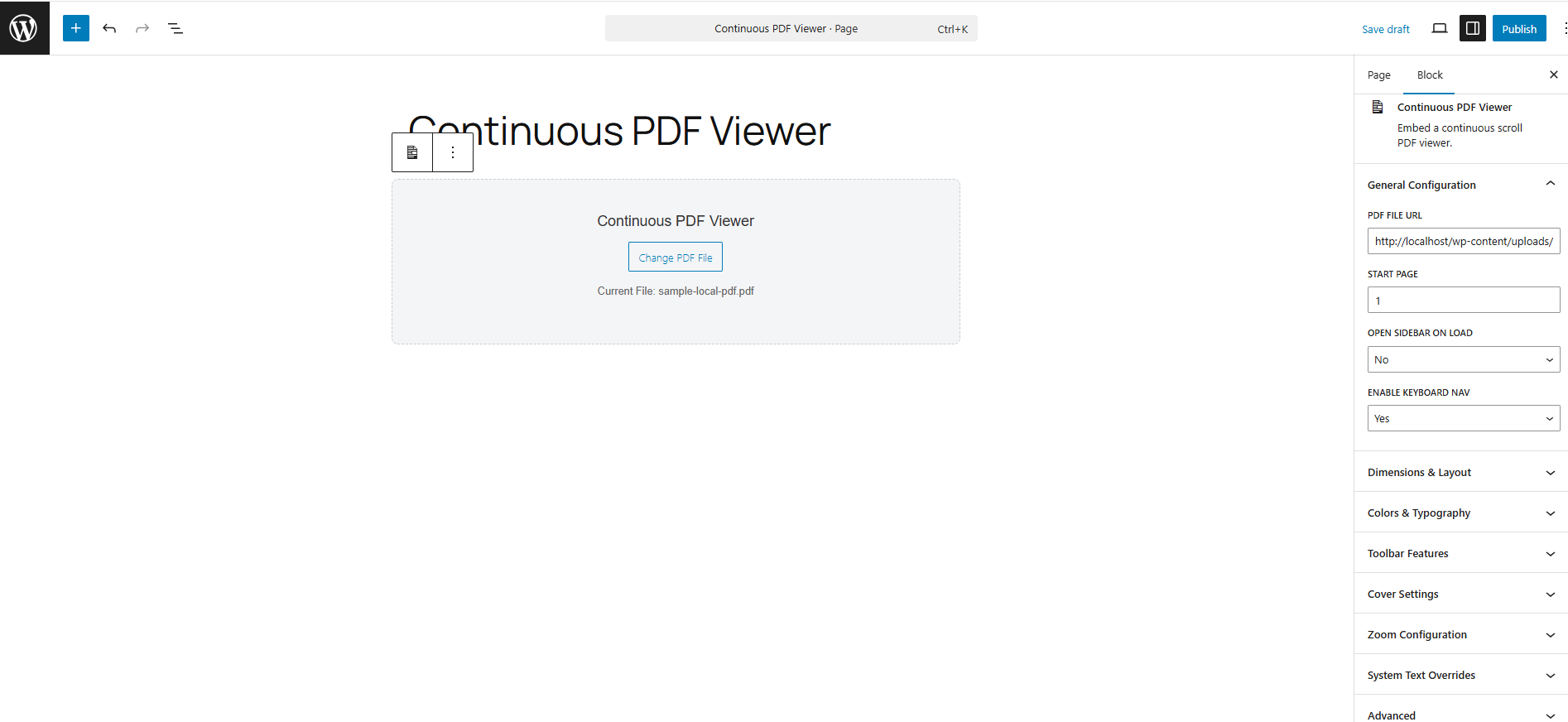
- Gutenberg Block Integration: A native WordPress block with a click-to-select placeholder UI and seamless Media Library integration.
- Live Shortcode Generator: A dedicated admin tools page (Tools > Continuous PDF Viewer) that lets you visually configure colors, dimensions, and toolbar features while generating a live shortcode.
Captures d’écran

Blocs
Cette extension offre 1 bloc.
- Continuous PDF Viewer Embed a continuous scroll PDF viewer.
Installation
Using the Gutenberg Block
- Open the WordPress Block Editor.
- Search for the « Continuous PDF Viewer » block.
- Click « Select PDF File » on the canvas to choose a document from your Media Library.
- Use the right-hand Inspector Controls to customize the start page, default zoom, sidebar visibility, and colors.
Using the Shortcode
You can place the viewer anywhere using the [continuous_pdf_viewer] shortcode.
Basic Example: [continuous_pdf_viewer url= »https://yoursite.com/wp-content/uploads/document.pdf »]
Advanced Example: [continuous_pdf_viewer url= »/wp-content/uploads/document.pdf » title= »Annual Report » start_page= »3″ theme= »dark » accent= »#4f7df3″]
Note: Generating complex shortcodes is highly recommended via the built-in Shortcode Generator under the Tools menu.
Avis
Il n’y a aucun avis sur cette extension.
Contributeurs & développeurs
« Continuous PDF Viewer » est un logiciel libre. Les personnes suivantes ont contribué à cette extension.
Contributeurs
Traduisez « Continuous PDF Viewer » dans votre langue.
Le développement vous intéresse ?
Parcourir le code, consulter le SVN dépôt, ou s’inscrire au journal de développement par RSS.
Historique des changements
2.1.11
- Don’t cause page to jump when clicking on the next page button
2.1.10
- Allow pinch to zoom
- Allow selecting text for copy and paste
- Allow zooming larger than the screen width
2.1.9
- Use Legacy PDF.js so it works with older browsers
2.1.8
- Added support for older browsers that don’t ssupport the Promise.withResolvers feature
2.1.7
- Put the « Pro Tip » on a separate line to make the toolbar more responsive
2.1.6
- Fix the scale number in the toolbar so it matches the actual zoom level
2.1.5
- Removed the standard_fonts folder
2.1.4
- Change prefix used in the code from cpv to cpdfv
- removed unused files
- moved inline CSS/JS to use of wp_add_inline_*
- changed shortcode name to continuous_pdf_viewer
2.1.3
- switch to latest version of PDF.js (v5.6.205)
- removed an extra file that didn’t belong
- removed some !important from the CSS and add a tooltip to the PDF viewer panel
- fixed some issues with going full screen
- hide the thumbnail button on mobile
- hide the sidebar when going fullscreen
- make the tool tip text into a PDF Viewer setting which can be changed by the user
2.1.1
- Changed the default height from 600px to 80vh
- Recalculate the width for each tab when in a page when different pdf viewer blocks are in different tabs.`
- Set the default heights to 80vh for desktop, 70vh for tablet, and 60vh for mobile rather than a specific px value.
- wrapped some output in escape_* functions
2.1.0
- New: Highly-optimized Continuous Scroll engine replaces the legacy single-page view.
- New: Pressing the Enter key inside the search bar now accurately loops through highlighted results.
- New: High-DPI (Retina) screen support added to the canvas rendering loop for crystal-clear text.
- Fix: Replaced legacy CSS flexbox centering to eliminate the « cut-off top » bug on tall pages.
- Tweak: Search navigation buttons now visually disable when reaching the first or last search result.
- Deprecated: The legacy view_mode setting (Single Page vs. Continuous) has been removed.