

Description
Your theme and each plugin add several JavaScript and CSS files to your webpages and each of them requires a while to be handled, downloaded and executed by browsers.
This makes your website heavy and slow. Even using a static cache plugin, for fresh viewers (and page-speed rankers!) what matters is the webpage weight and how fast it completes loading all of its scripts.
The LCweb optimizer is a resource-friendly solution to merge and optimize them: dramatically reducing the number of HTTP requests your webpages perform and speeding-up their rendering!
You can also decice where scripts have to be used in the website. Do you only have a gallery in a specific page? Why loading its scripts everywhere. Optimize every bit, in the simplest way possible.
Extra features: HTML code minifier and cache-friendly file headers!
PS: it is also compatible with other WP optimizers (Redis, W3 total cache, WP-super-cache, etc), offering a great combo to optimize wordpress all-around!
🌟 Features list in detail
- lightweigt and ready out-of-the-box
- compatible with any theme and any script
- JavaScript/CSS files merge into a single static file
- filter where scripts have to be used by page URL and/or regular expression
- option to singularly exclude every JavaScript/CSS files from the optimization engine
- CSS @import code processing
- CSS minification
- JavaScript minification
- HTML minification
- HTACCESS file headers to make browsers cache static resources
- every optimization system can be toggled for the maximum compatibility
- testing mode to tune the plugin settings without affecting visitors
- compatible with other WP cache plugins
📝 Notes
- Scripts/styles must be properly enqueued through WP register functions
- Static files creation requires writing permissions in wp-content folder
Captures d’écran
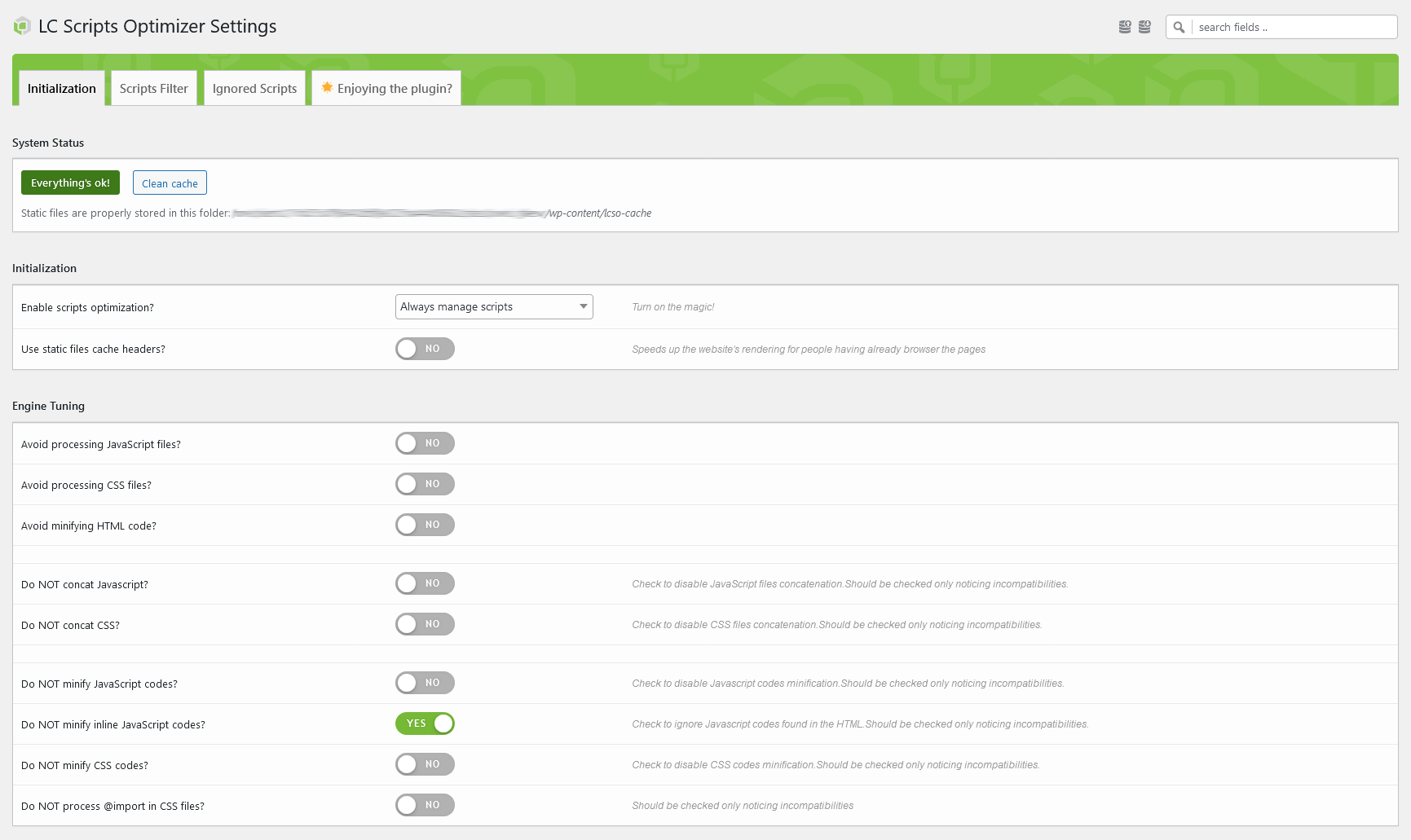


Installation
- Upload
lc-scripts-optimizerto the/wp-content/plugins/directory - Activate the plugin through the ‘Plugins’ menu in WordPress
- If not automatically moved to the plugin settings page, you find the menu item under the WordPress « tools » one
- Check system status and eventually unlock writing permissions
- Go on « scripts filter » tab and click on « fetch again » button to store scripts. If the website is not publicly accessible by cURL, simply browser it to let the plugin fetch used scripts
- Tune it as you prefer and save the settings
- NB: is strongly suggested to start using the « test mode » and to keep the browser’s console opened to scan for eventual conflicts
Avis
Il n’y a aucun avis sur cette extension.
Contributeurs & développeurs
« LC Scripts Optimizer » est un logiciel libre. Les personnes suivantes ont contribué à cette extension.
Contributeurs
Traduisez « LC Scripts Optimizer » dans votre langue.
Le développement vous intéresse ?
Parcourir le code, consulter le SVN dépôt, ou s’inscrire au journal de développement par RSS.
Historique des changements
2.1.0
- new: more file types covered by HTACCESS static files cache headers
- new: better integration with Elementor builder mode
- new: now recognizing data:text/javascript
- fixed: HTACCESS static files cache headers not managed on settings saving
- fixed: inline style/script codes ignored during the scripts parsing
2.0.0
- new: complete plugin code revision and overhaul
- new: settings engine
- new: scripts filter’s user interface to better orientate among scripts
-
new: improved compatibility with most popular page builders
-
added: creation date attribute for better merged scripts file cache
- added: HTACCESS static file headers system
- added: option to not minify merged scripts
- added: compatibility with scripts being enqueued with async/defer instruction
-
added: button to remove fetched script from « filter » interface
-
removed: optimized scripts delivery through static URL (useless and dangerous)
1.4.0
- improved get_options performances (w/ WP 6.4 compatibility)
- scripts tracked and added to the settings page also navigating the website
1.3.2
- inline javascript codes attached to scripts now appended before them
1.3.1
- better javascript for the settings page
1.3
- added fields for URL-based scripts exclusion from the engine
- improved Elementor compatibility
- better HTML minification start hook
1.2
- added HTML minification engine
- file_get_contents used to recall local files, working with hidden websites
- fixed CSS bad paths composition
- fixed CSS @font-face placement
- fixed existing cached files check
1.1.2
- Elementor Compatibility
1.1.1
- Better scripts fetching in « Scripts Filter »
- Elementor Compatibility (requires jQuery to be ignored during optimization)
1.1
- Added options to exclude CSS and JS concatenation (to just use scripts filter)
- Added testing mode to check optimizations only if logged as WP admin
- Added sticky settings update button
- Better engine initialization code
- Minor UI improvements
1.0
Initial release