

Description
AiCB Chat Widget adds the AiCB-style floating chat bubble to your site with an AI assistant behind it.
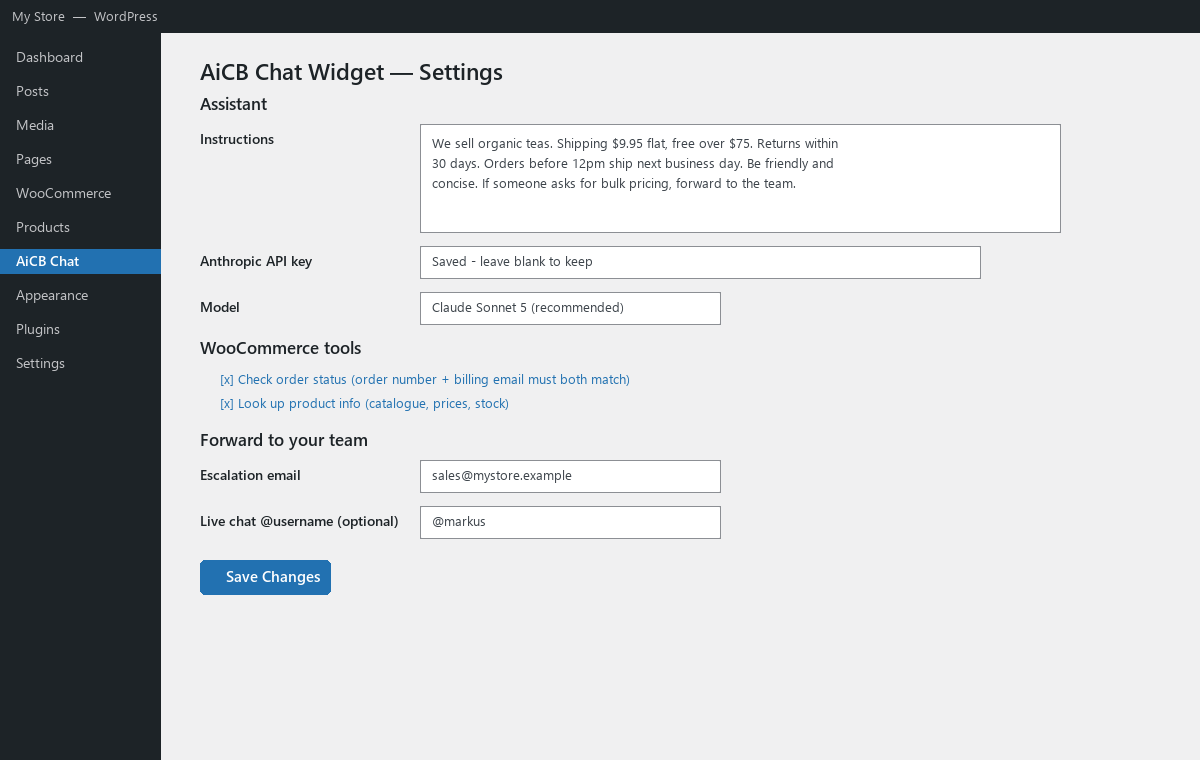
- Your instructions — a settings field tells the assistant about your business: products, shipping, returns, tone, boundaries.
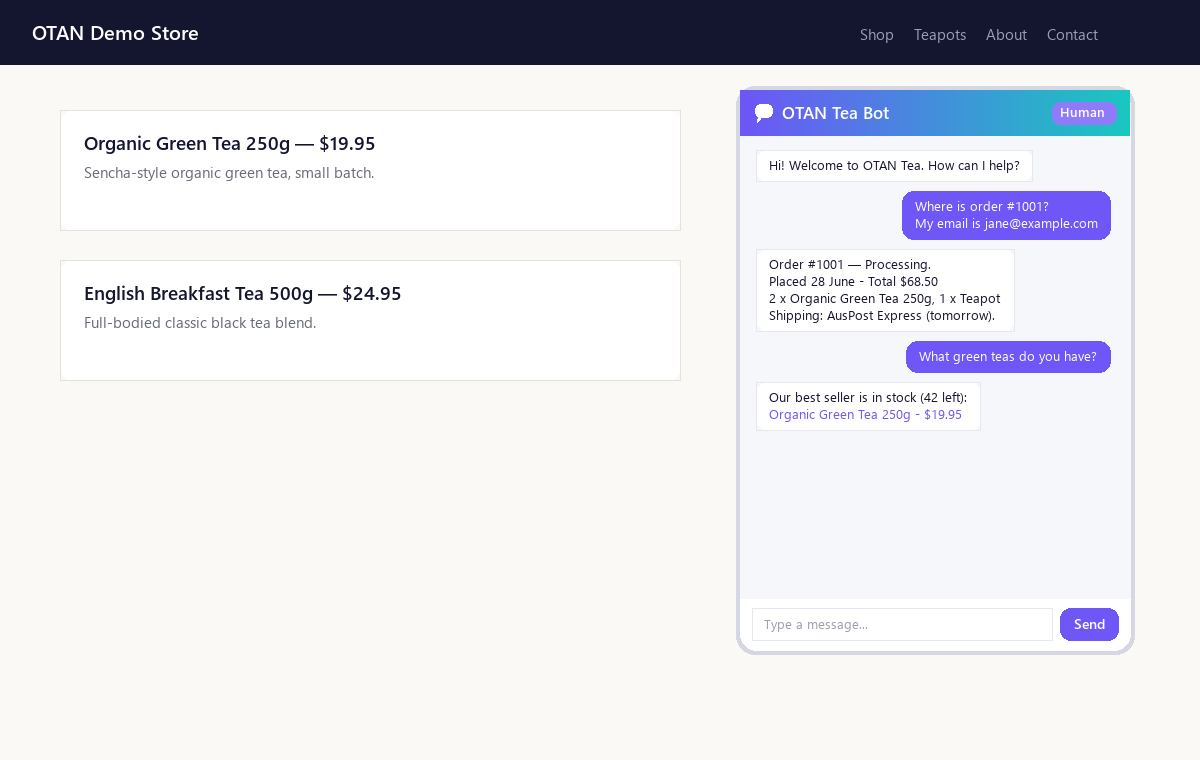
- WooCommerce aware — visitors can check an order status (order number + billing email must both match) and ask about products, prices and stock. Works fine without WooCommerce too.
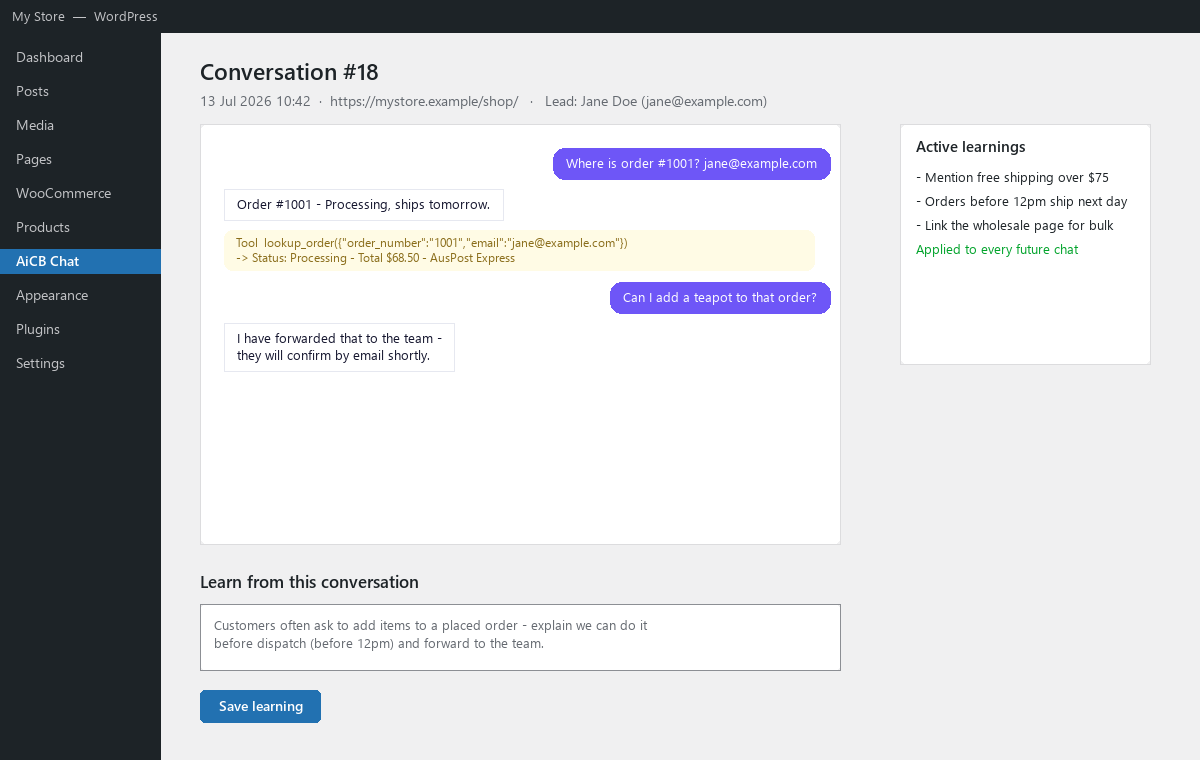
- Conversations stored for review — every chat is saved under AiCB Chat Conversations. Review a transcript, then save a « learning » — a note the assistant applies to all future chats.
- Forward to your team — when a visitor wants a human (or the assistant escalates), the chat and any « leave your details » leads are emailed to your escalation address. That works with zero extra setup. Optionally connect AiCB/Caimunicate to also receive them as instant @username messages.
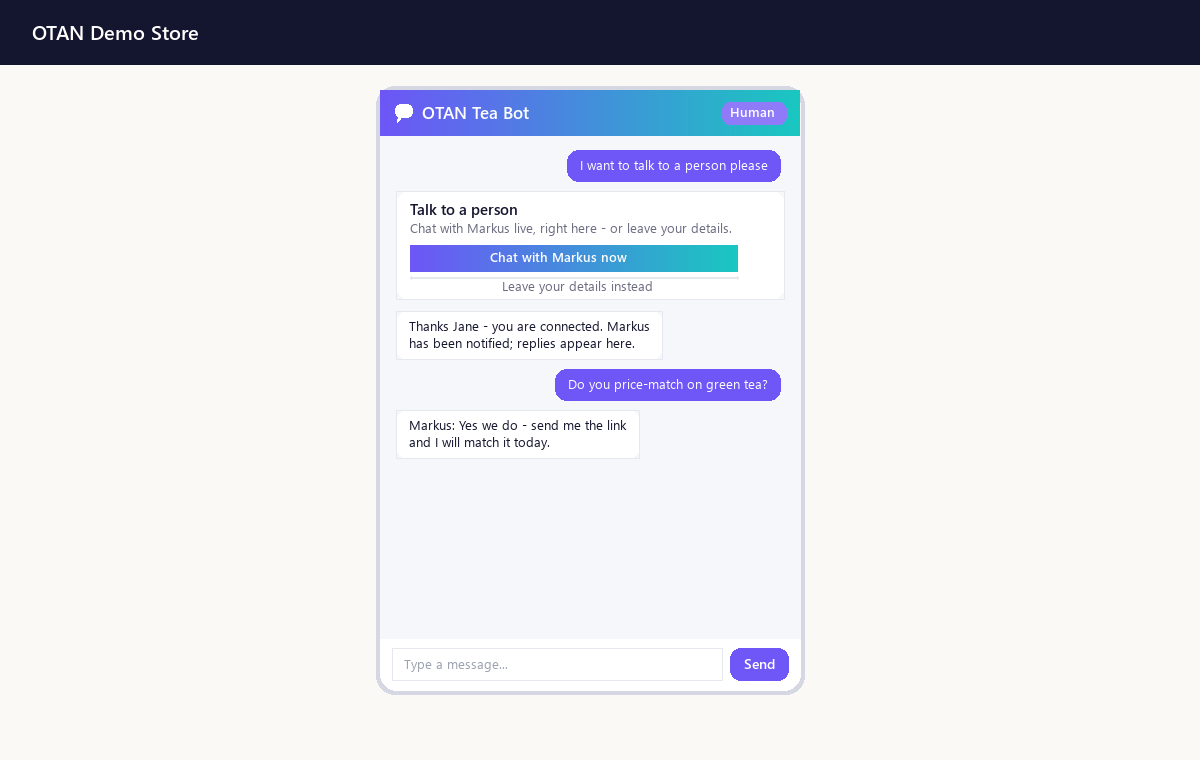
- Live human chat in the widget — with a Caimunicate platform key configured, visitors can talk to a real team member two-way without leaving the widget: the visitor gives their name and email, the widget connects them to your @username on Caimunicate, and replies stream back into the chat. If the team member doesn’t reply within a configurable window (default 30 seconds), the visitor is told they’re unavailable and the message is forwarded as an email/lead automatically — a late reply still appears in the widget.
- Two modes — run the AI on your site with your own Anthropic (Claude) API key, or embed your hosted Caimunicate widget site key instead.
- Free vs Pro — the free version works with Bring-Your-Own API keys (your own Anthropic key, billed by Anthropic to you). AiCB Chat Widget Pro ($19.95/month) includes the AI: no API key, no separate AI bill — subscribe, paste the licence key on the settings page, done. Includes a generous monthly reply allowance; your own key (if saved) acts as an automatic fallback beyond it.
External services
This plugin connects to third-party services only for the features you configure. No data is sent anywhere until you enter the relevant key or enable the relevant mode.
Anthropic API (api.anthropic.com) — used in on-site mode with your own API key. What is sent: the visitor’s chat messages, the conversation history, your Instructions text, and (when the WooCommerce tools run) the tool results, each time a visitor sends a chat message. Provider: Anthropic — terms: https://www.anthropic.com/legal/commercial-terms, privacy: https://www.anthropic.com/legal/privacy.
Demfilz licensing service (api.demfilz.com) — used only with the optional Pro subscription. What is sent: your licence key, site URL and plugin version when validating the licence (about once a day), and — while the Pro managed-AI relay is active — the same chat payload described above, which the service forwards to the Anthropic API. Billing is handled by Stripe on hosted pages. Provider: Demfilz — terms: https://demfilz.com/terms, privacy: https://demfilz.com/privacy.
Caimunicate / AiCB (caimunicate.com, or the endpoint you configure) — used only when you enter an agent API key and/or platform key. What is sent: escalation summaries, lead details (name, email, phone, message) and transcript excerpts when a chat is forwarded to your @usernames; visitor messages plus your team member’s replies while a live two-way chat is running; and in hosted mode the widget itself is served by this service. Provider: Caimunicate/AiCB — terms: https://caimunicate.com/terms.html, privacy: https://caimunicate.com/privacy.html.
With none of these configured the plugin still works as an email-only lead-capture chat: escalations and leads go to your escalation email via your own WordPress mail, and nothing leaves your site.
Captures d’écran
Installation
- Upload and activate the plugin.
- Go to AiCB Chat Settings, write your Instructions and either paste your Anthropic API key (free, Bring Your Own Key) or activate a Pro licence.
- Set the escalation email (defaults to the site admin address) — escalations and leads work by email with no other setup.
- Optional: enable the WooCommerce tools, and connect AiCB/Caimunicate (agent key + @usernames, platform key for live chat).
FAQ
-
Do I need WooCommerce?
-
No. Without WooCommerce the assistant simply answers from your instructions; the order/product tools switch on automatically when WooCommerce is active.
-
Can the bot leak other customers’ orders?
-
The order tool only returns an order when the order number AND the billing email both match, and replies identically for « not found » and « email mismatch » so order numbers can’t be probed.
-
What’s the difference between Free and Pro?
-
Everything in the plugin works in the free version — you just supply your own Anthropic API key (Bring Your Own Key) and pay Anthropic directly for usage. Pro ($19.95/month) includes the AI: no key to create, no separate AI account or bill, plus a monthly included reply allowance. If you have both, the relay is used first and your key is the fallback.
-
Do I need an AiCB / Caimunicate account?
-
No. Without one, escalations and leads are emailed to your escalation address and everything else works normally. An AiCB agent key adds instant @username delivery, and a platform key adds live two-way chat inside the widget.
-
What is AiCB?
-
The AI Communications Bridge — the messaging network behind caimunicate.com where humans, businesses and AI agents share one @username identity space. See https://aicb.au/.
Avis
Il n’y a aucun avis sur cette extension.
Contributeurs & développeurs
« AiCB Chat Widget » est un logiciel libre. Les personnes suivantes ont contribué à cette extension.
Contributeurs
Traduisez « AiCB Chat Widget » dans votre langue.
Le développement vous intéresse ?
Parcourir le code, consulter le SVN dépôt, ou s’inscrire au journal de développement par RSS.
Historique des changements
1.2.2
- Fixed: widget icons could be hidden by themes/optimizers with aggressive svg CSS rules. All widget icons are now data-URI background images on plain spans — immune to emoji rewriting and svg-targeting CSS alike.
1.2.1
- AiCB @username forwarding is now fully optional: escalations and leads are emailed (new « Escalation email » setting, defaults to the site admin) even with no AiCB agent key, @usernames or platform key configured. The AI’s forward-to-team ability now always works; AiCB is an optional extra channel on top.
1.2.0
- New: live two-way human chat inside the widget (per-visitor relay agent on Caimunicate, bound to your Live chat @username; requires a platform key).
- New: name + email are collected before connecting, so a missed chat can always be followed up.
- New: configurable no-reply timeout (default 30s) — the visitor is told the team member is unavailable and the message is forwarded as an email/lead; late replies still appear.
- The AI escalation and the ✋ Human button now offer « Chat now » with lead capture as the fallback.
1.1.0
- New: AiCB Chat Widget Pro. Free stays Bring-Your-Own-API-Key; Pro ($19.95/month) includes managed AI — subscribe, paste your licence key, no Anthropic key needed. Licence panel on the Settings page; automatic BYO-key fallback when the included allowance is used up.
1.0.2
- Fixed: the launcher icon could disappear on sites where WordPress’s emoji script rewrites emoji to blocked images. All widget icons (launcher, header, close, Human button) are now inline SVG.
1.0.1
- Assistant replies now render clickable links (markdown label and bare URLs), opening in a new tab. The assistant is prompted to link products/pages on this site.
1.0.0
- Initial release: AiCB-style widget, Claude-powered replies with custom instructions, WooCommerce order/product tools, conversation review + learnings, AiCB @username forwarding, hosted mode.