
Description
Decision Tree Navigator is a powerful, lightweight plugin that allows you to create interactive, step-by-step guidance for your website visitors. Whether you are helping employees find the right HR form or guiding customers through technical troubleshooting, this plugin provides a premium, responsive interface that feels like a modern application.
Features
- Intuitive Editor: Build complex trees with a drag-and-drop interface.
- « Other Options » Shortcut: Ensure users find help even if they are on the wrong path with smart cross-links.
- Mobile Friendly: Fully responsive design that works beautifully on all devices.
- Developer Friendly: Clean CSS architecture and PHP filters for deep customization.
- Flexible Layouts: Toggle Breadcrumbs, Sidebar, or « Other Options » shelf per tree from the dashboard.
- Lightweight: Zero external dependencies; uses native WordPress patterns.
Captures d’écran

The interactive frontend interface. 
The powerful Decision Tree Editor. 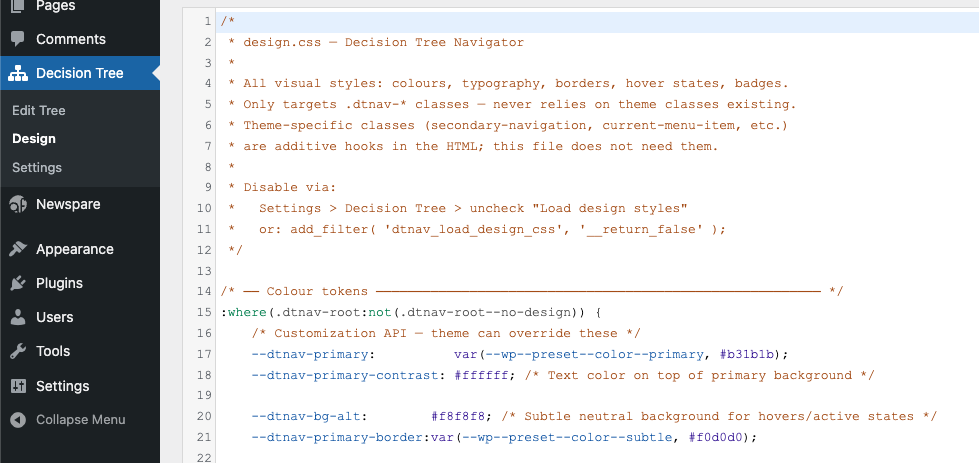
Admin settings and tree management. 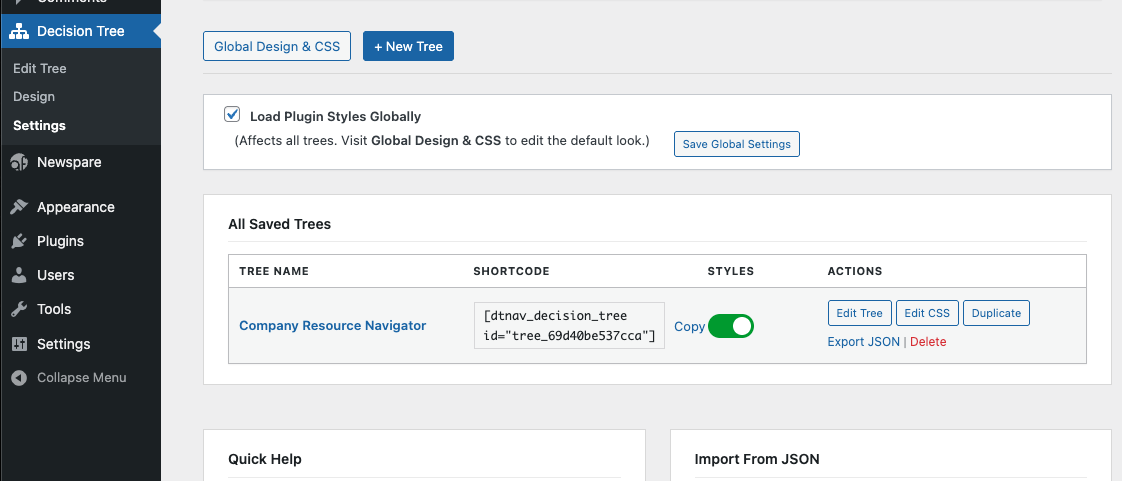
Installation
- Upload the
decision-treefolder to the/wp-content/plugins/directory. - Activate the plugin through the ‘Plugins’ menu in WordPress.
- Go to the Decision Tree menu to create your first tree.
- Use the shortcode
[dtnav_decision_tree id="your-tree-id"]to embed it in any page.
FAQ
-
Can I customize the colors?
-
Yes! You can use the built-in Design editor or disable the default styles and use your theme’s CSS.
-
How many trees can I create?
-
There is no limit. You can create as many independent trees as you need.
Avis
Il n’y a aucun avis sur cette extension.
Contributeurs & développeurs
« Decision Tree Navigator » est un logiciel libre. Les personnes suivantes ont contribué à cette extension.
Contributeurs
“Decision Tree Navigator” a été traduit dans 1 locale. Remerciez l’équipe de traduction pour ses contributions.
Traduisez « Decision Tree Navigator » dans votre langue.
Le développement vous intéresse ?
Parcourir le code, consulter le SVN dépôt, ou s’inscrire au journal de développement par RSS.
Historique des changements
2.6.1
- Bug fix: Fixed Back button always returning to Start instead of the previous step. Navigation history was not being recorded due to
activeIdbeing set beforerender()was called.
2.6.0
- Theme-Native Typography: All font sizes now use
eminstead ofrem, so the tree scales correctly with any theme’s body font size — no more fixed-size mismatch. - Simplified Editor: Removed badges entirely (label + color fields) to reduce clutter and keep the editor focused on content that matters.
- Accessibility: Added
aria-labelledbyto all landmark regions (section,article), fixed duplicate HTMLidwhen multiple shortcodes appear on the same page, and corrected screen reader double-announcement caused byaria-liveon the container. - Navigation Fix: Back button now uses a proper history stack instead of inferring path from tree structure, fixing incorrect back behavior after « Also available » jumps.
- Security: Added missing capability check to the slug-generation AJAX handler; replaced
sanitize_textarea_fieldwithwp_strip_all_tagsfor CSS fields to preserve valid CSS attribute selectors. - Bug Fixes: Fixed empty custom CSS incorrectly bypassing the factory stylesheet; fixed missing
<aside>closing tag in settings; correctedesc_html__()/printf()misuse towp_kses_post(sprintf())for translatable strings containing HTML.
2.5.0
- Resource Card Linking: Added a « Link URL » field to resource cards, allowing Organization names to become clickable.
- Smart Contact Details: The details field now automatically detects and linkifies email addresses and URLs.
- UX Polish: Improved URL detection to automatically repair missing protocols (e.g. www.cornell.edu -> https://www.cornell.edu).
- Accessibility: Ensured all resource links are underlined for full WCAG compliance.
2.4.0
- Dashboard Controls: Added per-tree toggles for Breadcrumbs, Sidebar, and « Other Options » shelf.
- Simplified UI: Replaced clunky toggles with clean, professional checkboxes in the management table.
- Performance: Improved logic for conditional assets loading.
2.3.0
- Prefix Compliance: Renamed all internal PHP functions, hooks, options, and CSS handles from
cdt_todtnav_(5-character prefix) per WordPress.org guidelines. - Security: Applied
wp_strip_all_tags()when outputting custom CSS viawp_add_inline_style()to prevent injection. - Readme: Added plugin owner to Contributors list.
2.2.0
- Theme-First Architecture: Lowered CSS specificity for better theme integration.
- WCAG Gold Standard: Improved focus management — focus now shifts specifically to the main heading (
h2) upon navigation. - Robust Focus Indicators: Forceful focus rings and 100ms timing ensure visibility across all WordPress themes.
- Enhanced Grid Layout: Unified grid-based alignment for all row-based UI components (Choices, « Other options »).
- Result Polish: Badges are now optional (tag-based); added « Purple » badge color option.
- ARIA Cleanup: Removed redundant labels and ensured all icons are
aria-hidden="true".
2.1.0
- Multi-tree support finalized.
- CSS Variable support for primary and hover colors.
- Improved database persistence.
2.0.0
- Official public release.
- New multi-tree support.
- New « Other Options » visual shelf.
- Improved security and database persistence.